
Appearance
Records they can take away
The three screens that let a patient read and keep a copy of their record. Two are automatic; one needs staff to share each file deliberately.
Health Summary
Diagnoses, medications, allergies and immunizations on one read-only page, with a PDF download.
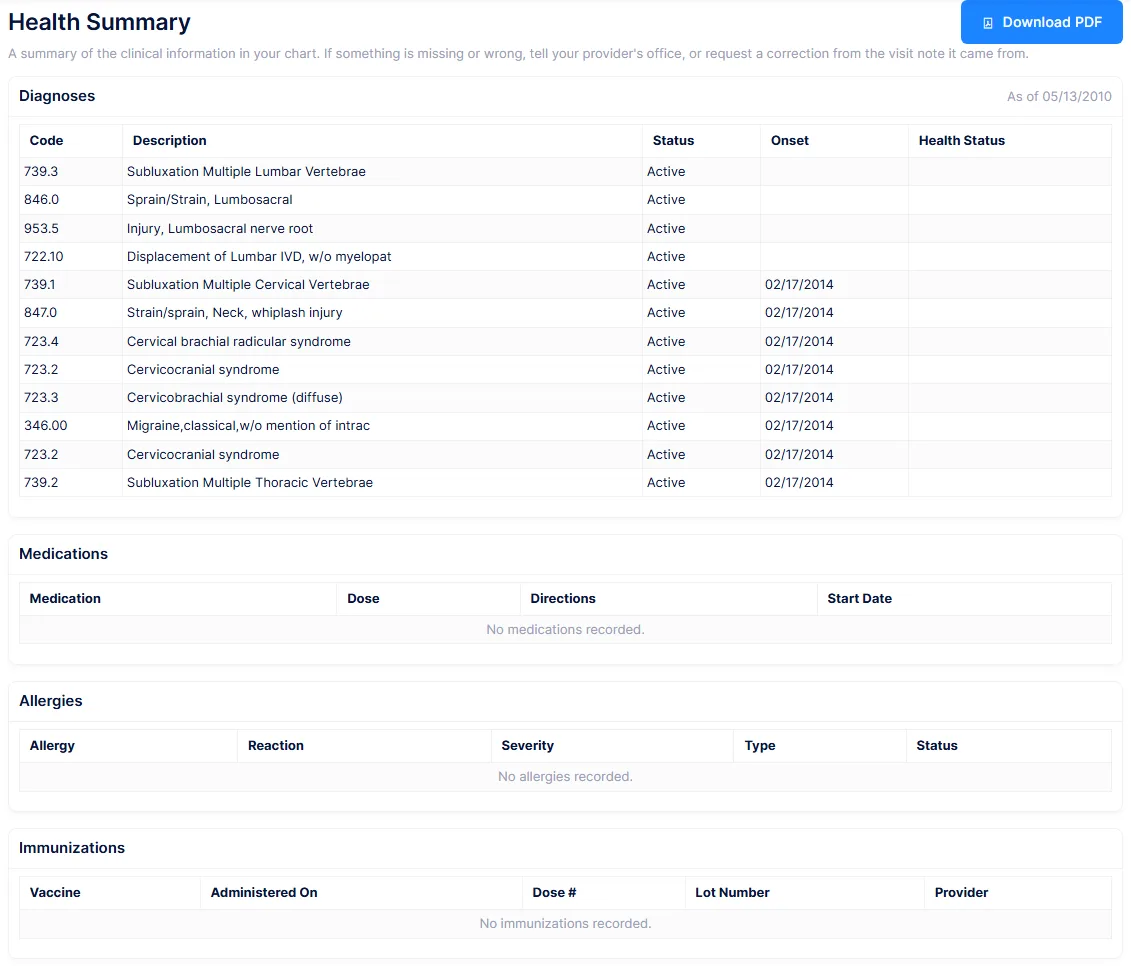
Diagnoses come with their status, onset and health status. Medications separate current from past. Allergies show the reaction, severity and type. Immunizations show the vaccine, date, dose number, lot and provider. Empty sections say so rather than vanishing, so a patient can tell an empty list from a page that failed to load.
Only the most recent diagnosis set is shown
Diagnoses are read from the newest set on the chart, not from a running problem list. If a later set was entered with fewer diagnoses, the earlier ones disappear from the patient's view entirely.
Two display quirks to expect. Medication "Dose" is assembled from several fields at once, and "Directions" falls back to the clinician's patient notes, so an internal note can surface to the patient. And if the vaccine name lookup fails, immunizations degrade to a bare code such as "CVX 08" rather than the vaccine's name.
The page is entirely read-only, and there is no way for a patient to flag an error on it. The only correction mechanism in the portal is on Visit Summaries.
My Records
Documents the practice has deliberately shared with the patient.

A single list: title, file name, when it was shared, and any note. PDFs open in the browser; everything else downloads.
Sharing a document
From Patient Information → Scanned Documents, right-click the file and choose Share with Patient. Give it a title and an optional note. The same dialog has Stop Sharing with Patient when you need to withdraw it.
Files are shared one at a time
There is no share option on a folder. Releasing twenty scans means twenty right-clicks.
Two things arrive here without anyone sharing them: signed consents, noted as signed from the portal, and approved work or school notes.
Moving or renaming a shared file breaks it
Sharing records the path to the file, not a copy of it. Rename, move or delete the file in Scanned Documents afterwards and the entry stays on the patient's list but fails when they open it. Take the sharing off first, then reorganise.
Stopping sharing is a soft delete, deliberately, so the record of what was released to the patient survives for an accounting of disclosures. Nothing notifies the patient that a document has appeared, so tell them.
Export My Records
One button that packages the patient's whole record as a ZIP, and a second for the machine-readable clinical summary on its own.
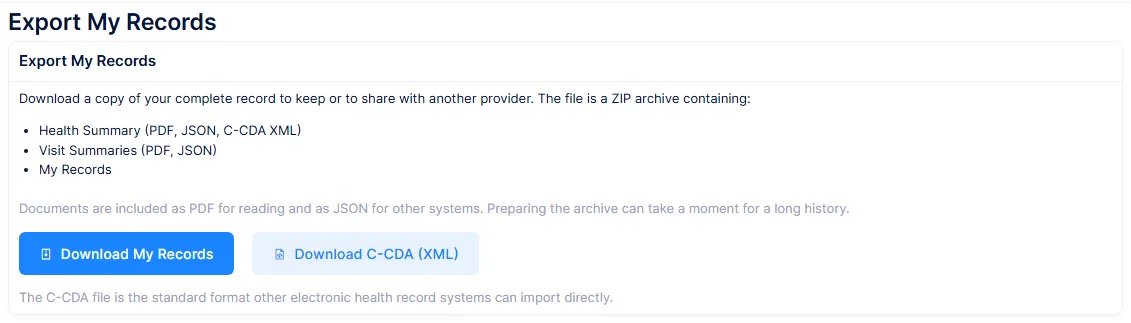
The ZIP contains the health summary as PDF and as data, the clinical summary as C-CDA XML, every visit note as its own PDF with an index, every shared document, and a manifest and read-me describing the contents. Files that have gone missing from storage are listed in the manifest rather than failing the download.
The C-CDA is a genuine clinical document covering problems, medications, allergies, immunizations, vital signs, procedures and encounters, which is what a patient needs when another provider asks for their records electronically.
Export ignores the Visit Summaries and My Records permissions
The export is gated only by its own permission. It packages every visit note and every shared document regardless of whether the patient's role can see those screens.
Granting Export alone therefore hands over the complete set of notes that Visit Summaries would have withheld. If you are withholding either screen deliberately, withhold Export as well.
A large chart will make the browser wait
The whole package is built in one go while the patient waits, with every note converted to PDF individually. There is no progress indicator and no background job, so on a chart with hundreds of visits the button appears to do nothing for a long time. Warn long-standing patients, or run the export for them from the office.
The export covers the clinical record only. It does not include statements or billing, messages, the care plan, or the intake questionnaire, even though the patient entered that themselves.