
Appearance
Patient reports
Reports about the patient base: who is new, everything about everyone, and what has been said on the phone.
New Patient
Patients admitted in the date range, counted by account type, with each type's share of the total:
| Column | Shows |
|---|---|
| Account Type | The type recorded on the patient |
| Total | Patients admitted in the range with that type |
| Percentage | Share of all new patients in the range |
Filters: date range and provider. It opens showing the last three months. Read it alongside Income Referral, which shows where those same new patients came from.
Patient Master List
The most flexible report in ChiroPad: any set of patients you can describe, in any of seven formats.
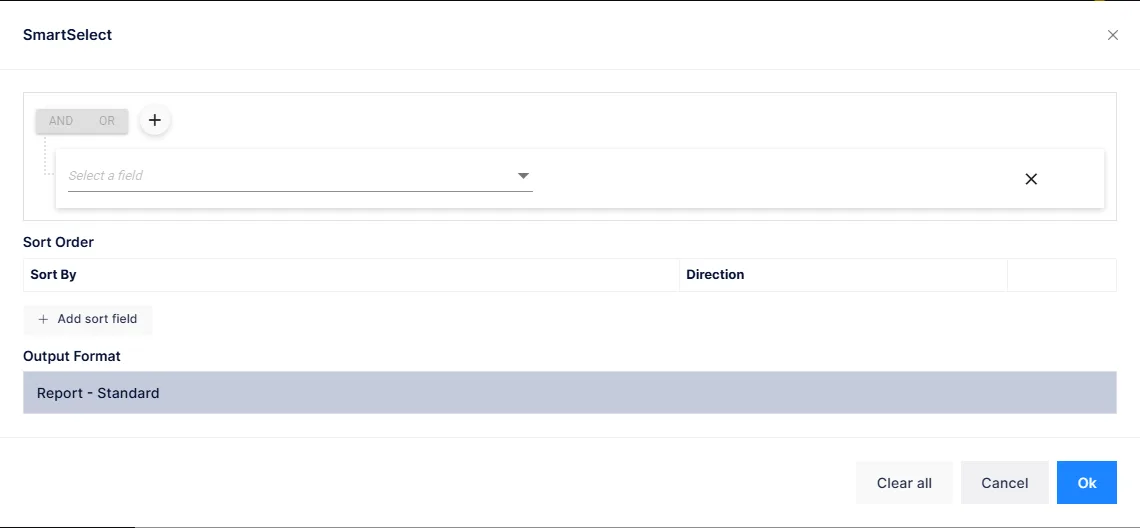
It opens empty. Click SmartSelect to open the query builder, describe the patients you want, choose an output format, and click OK.
Choosing patients
SmartSelect builds a query from conditions on any patient field — demographics, account type, provider, status, admission and last visit dates, balances, insurance, referral information and more. Each condition is a field, an operator and a value; add as many as you need and group them with And / Or. Then add one or more sort fields.
Start broad
"Status is Active" on its own lists every current patient. Add conditions to narrow it: last visit before a date for a recall list, an account type for a mailing to one group, a ZIP code for a local promotion.
Output formats
| Format | Produces |
|---|---|
| Report – Standard | The full table: chart, name, address, type, status, provider, admitted and last-visit dates, DOB, sex, marital status, phones, email, and patient, insurance and total balances |
| Report – Demographic Only | The same without financial and insurance columns |
| Report – Patient Names Only | Just the names |
| Mailing Labels (Avery #5960) | Address labels, opened in a print window |
| Mailing Envelope (#10) | Envelopes with the provider's clinic as the return address |
| CSV Text File (PatQuery.csv) | A spreadsheet file with chart, full and split name, address, email, phones, DOB and last visit |
| Email List Text File (PatEmailQuery.txt) | Email addresses only, one per line, for a mailing list |
The three report formats show on screen and can be searched, exported and printed like any other report. Labels and envelopes open straight into a print window; the two file formats download.
Labels printing off the edge
The label and envelope layouts have a calibration control in the print window: enter a horizontal and vertical offset and it is remembered for that format, so a printer that feeds a few millimetres off can be corrected once.
An email list is a marketing list only if the patient agreed
Exporting every email address is easy. Sending to them is subject to the patient's stated communication preference and to anti-spam law. Filter on the preference before you export.
Phone Log Report
Every entry in the phone log for the range, with its category:
| Column | Shows |
|---|---|
| Date | When the call was logged |
| Chart, Patient | Who it concerned |
| User | Who logged it |
| Category | The category chosen when it was logged |
| Note | The note itself |
Filters: date range (opens on the last three months), provider, and a category list that offers every category in use, with All Categories as the default.
Visit Recap
Also listed here for convenience; it is the same report as Visit Recap in the General group.