
Appearance
Subjective customization
Four screens behind the Subjective screen: the complaints a patient can present with and everything ChiroPad writes about them.
Activities of Daily Living
The ADL checklist offered on the Subjective screen, as a grid of sections — the areas of daily living — each expanding to the items within it.
Add, edit or delete a section from the top grid, and open a section to add, edit or delete its items. Items have a short description; that is the text shown on the checklist and written into the note.
The same ADL list is used by the Treatment Plan's goal templates — see Goal ADL Templates.
Complaints
The heart of the Subjective screen. A patient's complaint can only be recorded if it exists here, and ChiroPad can only write about it if the complaint carries verbiage.
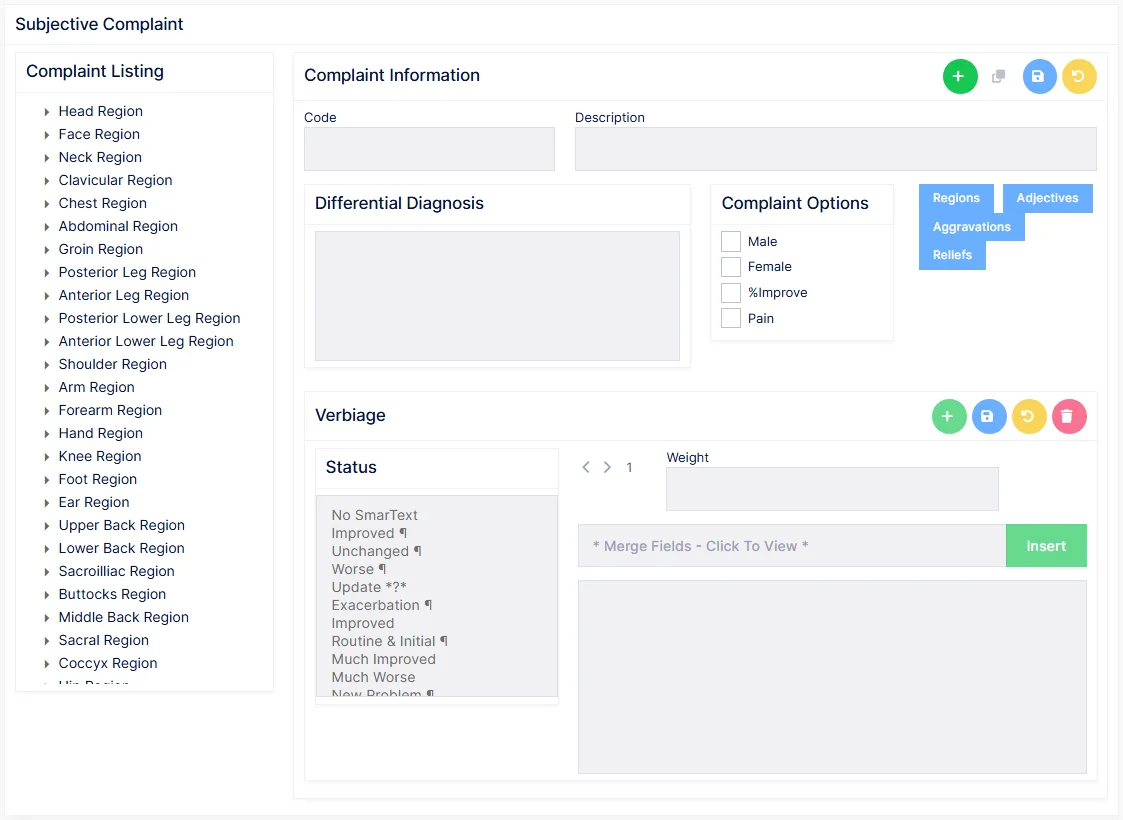
The listing
The left column lists complaints by body region — Head, Neck, Shoulder, Lower Back and so on — the same regions the patient's body diagram is divided into. A complaint appears under every region it is assigned to.
Click a complaint to load it. Add starts a new one; Clone copies the selected one under a new code, with all its verbiage, for a complaint that is a variation of an existing one. Undo discards unsaved edits.
Complaint Information
| Field | Notes |
|---|---|
| Code | The complaint's mnemonic. Required, unique, permanent once saved |
| Description | The name shown on the Subjective screen and written in the note |
| Differential Diagnosis | Free text shown on the complaint's DDX tab in the patient's file — the other conditions this complaint could indicate, as a reminder to rule them out |
Complaint Options
| Option | Effect |
|---|---|
| Male, Female | Restrict the complaint to patients of that sex |
| %Improve | Ask for a percentage-improvement rating when the complaint is updated |
| Pain | Treat the complaint as a pain complaint, with a pain rating |
Four buttons open the lists specific to this complaint:
| Button | Sets |
|---|---|
| Regions | Which body regions the complaint belongs to. Tick every region it can apply to, or All Regions — it then appears under each of them in the listing, and clicking that area of the body diagram offers it |
| Adjectives | Six tabs — Frequency, Severity, Motion, Sensory, Pain, Location — each with an Available list and a Selected list. Only selected adjectives are offered on the patient's complaint, so each complaint carries only the descriptors that make sense for it |
| Aggravations | The "made worse by" choices offered on the complaint's Worse/Better tab |
| Reliefs | The "made better by" choices |
New adjectives, aggravations and reliefs can be created from inside those windows and then selected.
Verbiage
Every complaint has a template for each status it can be given on the Subjective screen — Improved, Unchanged, Worse, Exacerbation, Recurrence, New Problem, Recovered and the rest. Select a status in the list and its first iteration appears; use the arrows to step through the others.
Two kinds of status exist, distinguished by the paragraph mark ¶ after the name:
- A status without ¶ writes a single sentence about the complaint.
- A status with ¶ writes a full paragraph, merging everything recorded on the complaint's tabs — adjectives, aggravations and reliefs, history, severity and frequency.
The first status, No SmarText, has no verbiage by design. Setting a patient's complaint to it keeps the complaint on file but stops the note mentioning it.
A status with no verbiage produces nothing
If a complaint is given a status whose template is empty, the note simply omits the complaint. A cloned complaint inherits its verbiage; a new one starts empty for every status. Before a new complaint is used on a patient, check that at least the statuses the practice uses have a template.
Merge fields available in complaint templates:
| Field | Inserts |
|---|---|
{Adj} | The adjectives selected on the Main and Related tabs |
{Aggravate_relieve} | The Worse/Better selections |
{severity}, {frequency} | The severity and frequency ratings |
{lrb} | Left, Right or Bilateral |
{side} | The side reported |
{patient}, {he}, {his}, {him} | The patient's name and pronouns |
Weights run from 1 to 9 — see verbiage templates and weight.
Complaint History
Two lists that fill the drop-downs on a complaint's History tab:
- Caused By — how the complaint began.
- Activity At Injury — what the patient was doing.
Both are plain lists: add an entry, rename it, or delete it. New entries fall into alphabetical order.
Delete only what was never used
A deleted entry disappears from the drop-down but any complaint that already used it keeps the text. Rename an entry that is merely misspelt; delete only entries the practice will never want.
Complaint Templates
The lead-in sentence that introduces the patient's complaints in the Subjective section — "The patient presents today complaining of {complaint}…" — as distinct from the per-status verbiage on each complaint.
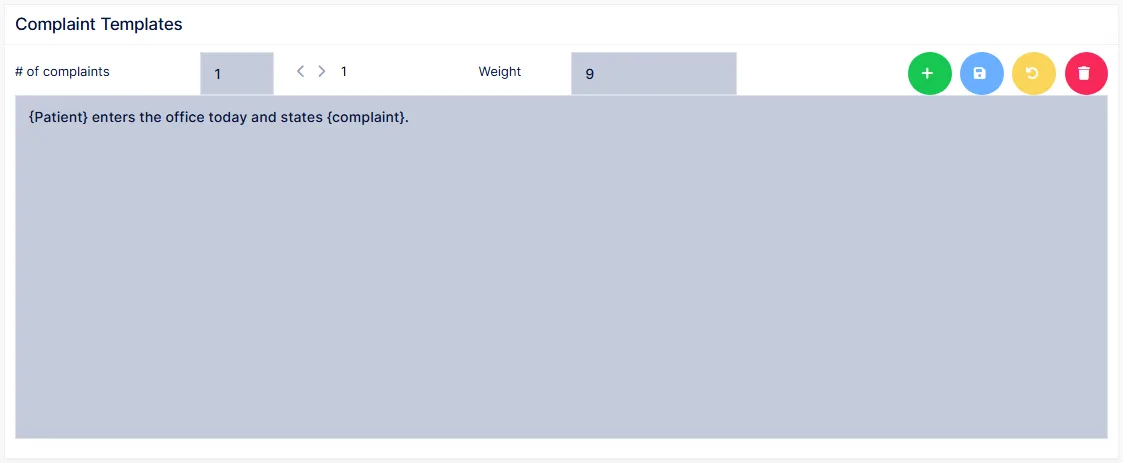
The lead-in depends on how many complaints the patient has: one complaint needs a simple sentence, several need a sentence that lists them. Choose the number in # of complaints (1 to 15) and the templates for that count appear. Each count has its own set of iterations, each with a weight from 1 to 9.
To add a template: choose the count, set the weight, click Add, type the sentence with any merge fields, and Save.