
Appearance
Visits and care
What the patient can see of their schedule and their clinical record. Two of these three screens are read-only; the appointment list is not.
My Appointments
Upcoming and past visits, with the date, time, provider, notes and status.
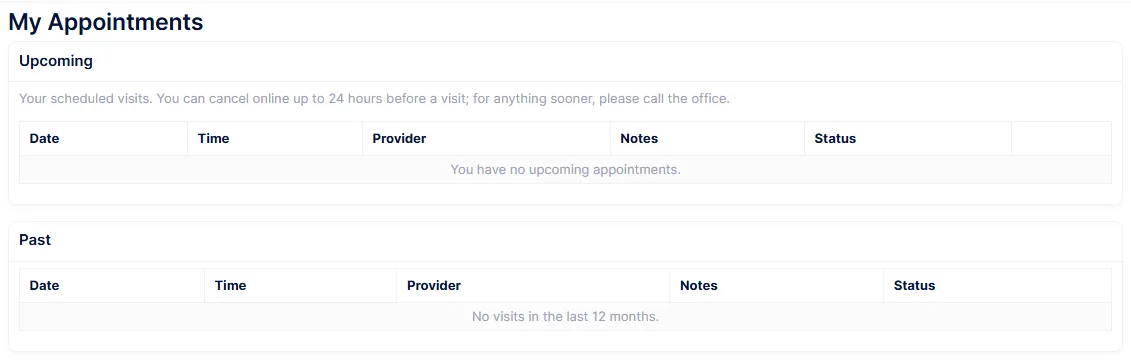
Patients can cancel an upcoming visit, and may be able to book one. They cannot reschedule.
Cancelling deletes the appointment outright
There is no cancelled status. The row is removed from the appointment book, and nobody is told. The slot simply becomes free and the visit disappears from your reporting as though it had never been made. The only trace is the audit log.
If knowing about patient cancellations matters to you, consider leaving My Appointments switched off and letting patients ask through Messages instead.
Cancelling is only offered on a scheduled visit at least 24 hours away. Inside that window the button is not shown and the patient is told to call the office.
The Notes column is your scheduling remarks
Whatever the front desk typed in Remarks is shown to the patient word for word. Only the internal prefixes the online scheduler adds are stripped. Anything you would not want the patient to read does not belong in that field.
Booking does not happen in the portal. The Book an Appointment button opens the practice's public online scheduler in a new tab, which does not know the patient is signed in, so they have to identify themselves again and pass a captcha. A booking made there is a real appointment in the book straight away, not a request.
The button only appears when the practice has a reminder tier enabled. If nobody can see it, that is why.
Two limits worth knowing. Past visits are capped at the last twelve months and 25 rows. And appointments whose status was never set, which is common in data brought over from an older system, do not appear in the portal at all even though they sit on the staff book quite happily.
My Care Plan
The current treatment plan, read-only.
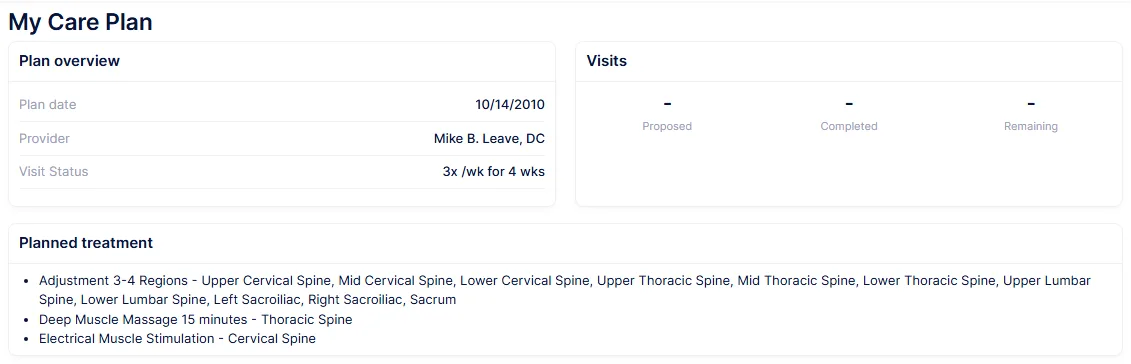
The plan date, provider, phase, visit status and re-exam date; visits proposed, completed and remaining with the expiry; the planned treatment; goals with their target dates; home care instructions; and the plan's notes.
The plan is published the moment it is saved
There is no step that releases a care plan to the portal. When a provider saves the plan on the SOAP Plan tab, the patient can read it.
That includes the free-text Notes field, which the staff screen presents as the plan's internal notes and which the portal shows to the patient under the heading Provider Notes. Tell your providers, because the staff screen gives no hint.
Only the latest plan is ever shown, with no history, so a patient cannot see a superseded plan and neither can they see how the plan has changed.
Visit Summaries
Every visit note on the chart, readable in the browser and downloadable as a PDF.
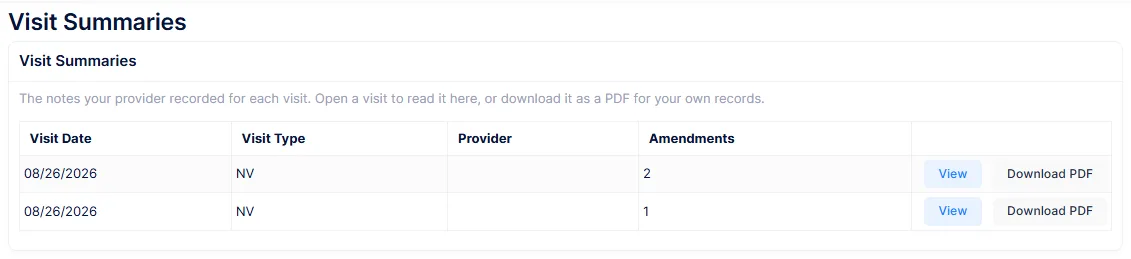
The list gives the visit date, type, provider and a count of amendments. Opening one shows the note itself, with a Download PDF link. The PDF gets a heading with the practice, patient and visit details, and any amendments appended.
Every note is visible as soon as it is saved
There is no release step, no draft state and no filter. Any note that exists on the chart can be read by the patient the moment the provider saves it, whatever its category or type.
There is also no way to hide one. If a note is written on the wrong chart or saved before it was finished, deleting it is the only remedy.
Asking for a correction
From an open note the patient can use Request a correction, giving the change they want and a reason. This is one of the two things in the portal that genuinely waits for a decision.
The request arrives on SOAP → Amendment Requests, where somebody holding the amendment permission accepts or denies it. Either way the original note is left exactly as it was; the request and its outcome are recorded alongside.
Amendments the practice filed are shown to the patient too
The amendment list on a note is not filtered by who asked. An amendment a doctor made themselves appears in the patient's view, labelled "Doctor". Denied and pending requests are printed into the PDF the patient downloads, alongside accepted ones, with the status shown untranslated.
There is also no limit on requests. A patient can file any number against one note, and each one notifies every member of staff who can decide them.
The notification to staff is best-effort. If it fails it is logged and the request still stands, so work the Amendment Requests screen rather than relying on the bell.