
Appearance
Generate
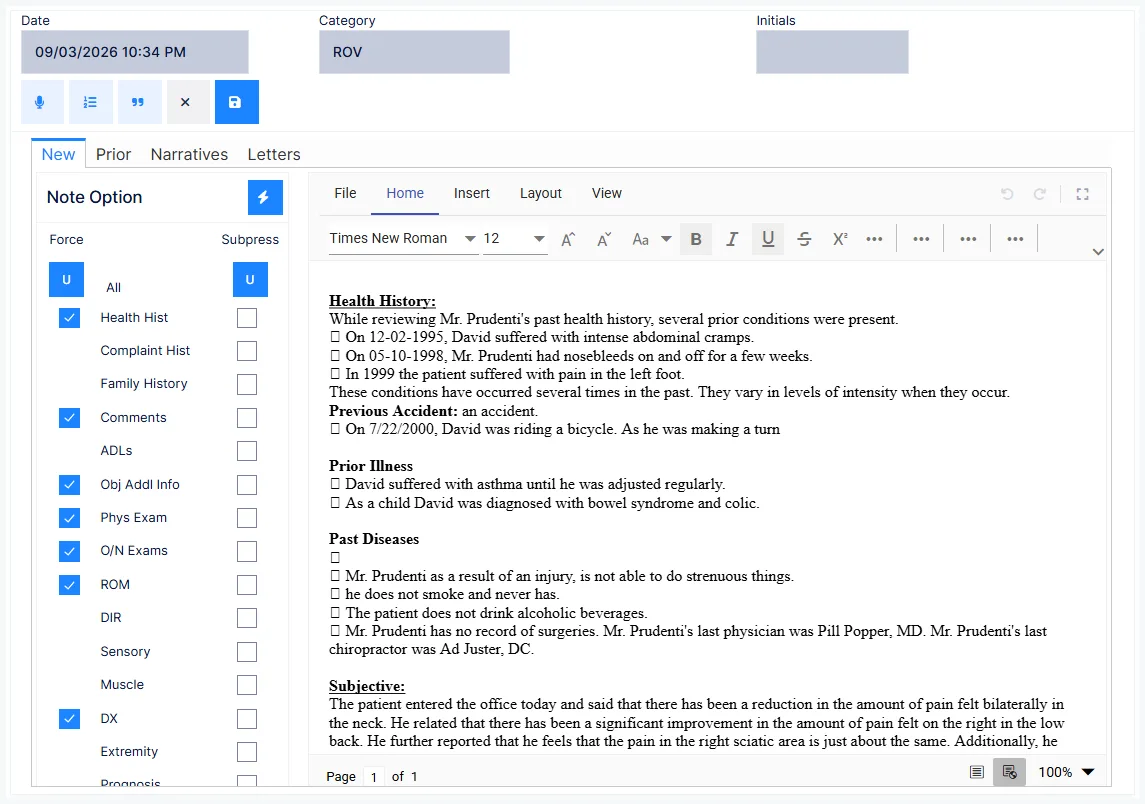
Produces today's SOAP note from everything recorded on the clinical screens. Generate opens the patient's Documents window on its New tab, with the note options on the left and the finished note in an editor on the right.
Before you generate
The note is assembled from what is on file for today. Get these in first:
- complaints updated on Subjective, with a status on each
- findings on Objective
- condition status and diagnosis on Assessment
- the Treatment Plan
- any examinations — dated today and saved, or they are left out
Some sections only appear if entered today
Health history and work status are pulled into the note only when they were recorded on the day of the visit. Entered yesterday, they silently drop out and the note is noticeably shorter. That is by design — the note describes this visit — but it surprises people.
The New tab
| Control | Sets |
|---|---|
| Date | The visit date. Defaults to today |
| Initials | The provider — this becomes the electronic signature on the note |
| Category | What kind of visit it was |
Categories include Comprehensive Exam, Consultation, Reexam, Report of Findings, ROV, the five E/M levels (Minimal, ROV, ROF, Reexam, Comp Ex), and payer-flavoured visits — General Ins OV, Medicare OV, Pers Inj OV — plus Symptom Survey Today, Telephone Log and See Paper File.
Categorise the note now, not later
The category is how you find a specific note months on — every re-exam, every report of findings. It costs nothing at generation and cannot be added afterwards without editing the note.
The DX Visitometer and Plan Visitometer panels show whether the current diagnosis set and treatment plan have expired, visits allowed, and visits remaining — a reminder that a re-examination may be due before you sign another routine note.
Choosing what goes in
The Note Option grid lists every section the note can carry, with a Force and a Suppress box against each, and an All row at the top:
Health Hist · Complaint Hist · Family History · Comments · ADLs · Obj Addl Info · Phys Exam · O/N Exams · ROM · DIR · Sensory · Muscle · DX · Extremity · Prognosis · Medications · Med Allergies · Nutri Supplmnt · Nutri Allergies
| Setting | Effect |
|---|---|
| Neither ticked | Included if it was entered today |
| Force | Included whether or not anything was entered today — pulls the last recorded values forward |
| Suppress | Left out |
Not every section can be forced. Health Hist, Comments, Obj Addl Info, Phys Exam, O/N Exams, ROM and DX have a Force box; the examination reports (DIR, Sensory, Muscle, Extremity), complaint and family history, ADLs, prognosis and the medication and allergy lists are included whenever they exist for the visit, and can only be suppressed.
Neither "All" box is safe
Suppress All produces a note that no longer meets Medicare's minimum, or that of many state boards. Force All pads the note with material that was not recorded at this visit — its own audit problem.
Medicare's minimum is patient comments and complaint history, the physical findings for the visit, the condition status, the current active diagnosis, and the treatment plan. In practice that means keeping Comments and DX forced, and setting the rest section by section.
Prognosis is off by default
Prognosis normally goes to narrative reports rather than the visit note. Force it here when a note genuinely needs it — a discharge or a report of findings, say — and leave it off for routine visits.
Generating and editing
Click Generate. The note appears in the editor — a full document editor with Home, Insert, Layout and View ribbons — where you can correct anything before saving.
Re-Generate rebuilds the note with different wording. Each pass draws different phrasings from the verbiage libraries, so consecutive visits don't read identically.
That is a compliance feature
State board and federal rules expect each visit's note to be genuinely its own. Regenerating varies the wording; it cannot vary the substance, which is why what you entered today still has to be specific to today.
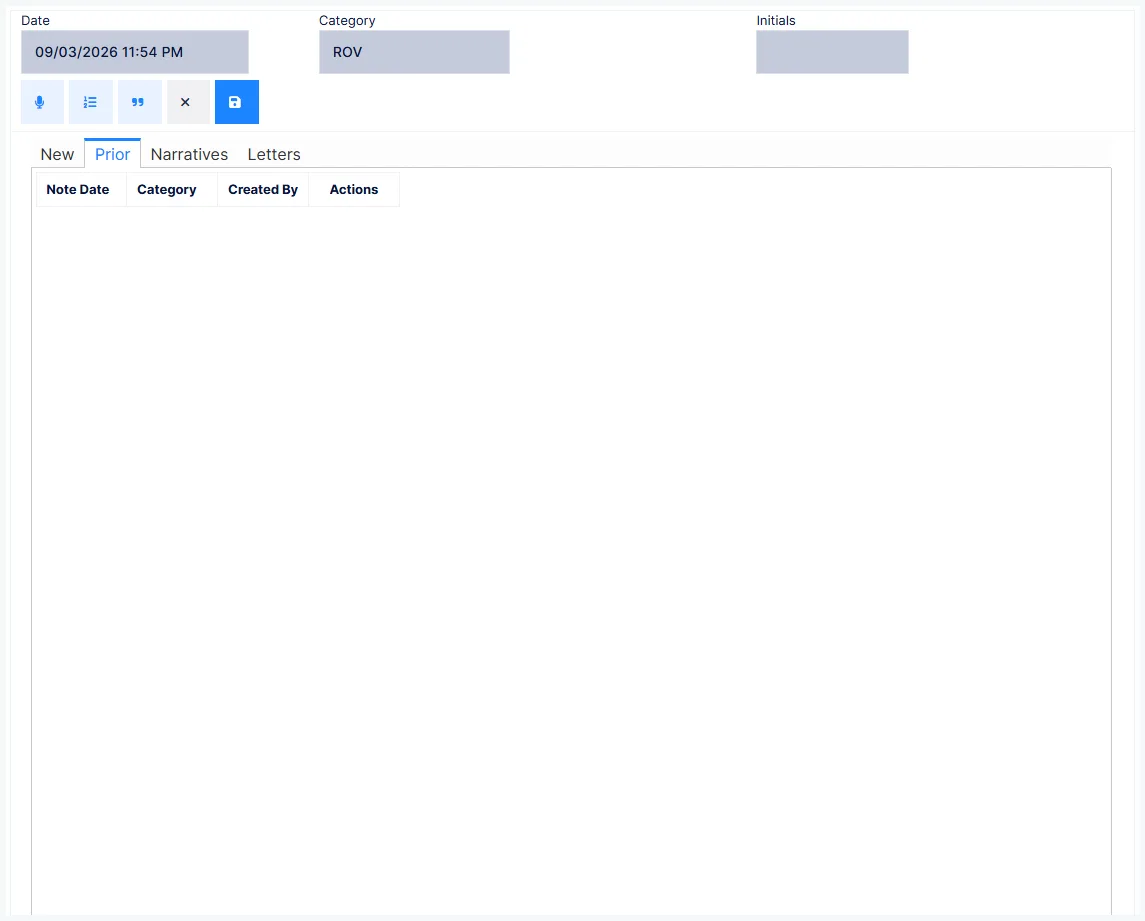
Paraphrase drops your practice's saved phrases into the note. Cancel discards; Save files the note under Prior.
If a word keeps coming out differently from how you typed it, that is your practice's Find and Replace list at work — practice-wide substitutions applied to every newly generated note, maintained under customization.
What Save records
The note is stored with its date, time, category, and the provider's electronic signature — in the form Electronically Signed By [name and credentials] [date] [time].
Initials alone are no longer sufficient
Medicare and state boards require the provider's full name and credentials on each note. That is set on the provider's record, not typed here.
Afterwards
72 hours, then addenda only
Medicare requires the note to be completed within 72 hours of the visit. Anything changed after that has to go in as an addendum — never a silent edit. Every entry is timestamped in the audit log.
Saved notes, prior notes, narratives, letters and addenda are all handled on Document.
Run Missing Progress Notes every day
The Missing Progress Notes report lists visits that were charged but have no note for that date of service. Run it daily, with cash visits and already-billed visits included — a charge with no note behind it is the single most damaging thing an auditor can find, and the report catches it while it is still inside the 72-hour window.