
Appearance
Patient Info
Patient Info holds everything that identifies the patient: demographics, contact details, financial terms, employer, attorney, and any documents scanned into their file. It feeds nearly everything else — insurance claims, letters, SOAP notes and statements all draw from here, so it is worth getting right at intake.
The screen has five tabs:
Personal · Financial · Occupation · Representing Attorney · Scanned Documents
Adding a new patient
From the Front Desk, click the + button beside the Status filter. A New Patient tab opens with a blank record.
What ChiroPad requires before it will save
| Field | Notes |
|---|---|
| First and Last | |
| Title | Must be set — a blank Title is rejected |
| Sex | |
| Account Type | From the Account Types catalog |
| Provider | From the Providers catalog |
| DOB | |
| Address 1, City, State, ZIP | Full mailing address |
Title and Sex have to agree
ChiroPad checks the two against each other on save. Mr. requires Sex Male; Mrs., Ms. and Miss require Female. A mismatch is refused with "The patient's SEX does not match the patient's Title, please correct this." Dr. works with either.
Six fields that matter beyond this screen
Six fields carry regulatory weight for Medicare Meaningful Use reporting:
Communication Preference · DOB · Sex · Race · Ethnicity · Preferred Language
Only DOB and Sex are enforced at save time, so the other four are easy to skip at a busy front desk — and then they are missing from every Meaningful Use calculation afterwards. Complete all six at intake.
The Race and Ethnicity value sets are federally mandated, which is why they are fixed lists rather than free text.
Status feeds the Meaningful Use denominator
Meaningful Use statistics are calculated across all patients with a status of Active — whether or not they have been seen recently. Patients who have not attended in a long time but are still marked Active dilute your numbers. Keeping Status current is a compliance task, not just housekeeping.
Chart numbers
Chart is set to Automatic by default and ChiroPad assigns the next number in the YYYY-NNNNN sequence when you save — the first patient created in 2026 becomes 2026-00001.
Switch it to Custom to use your own numbering. ChiroPad checks a custom number against every existing chart and refuses a duplicate.
The chart number is permanent
Chart is the one patient field that cannot be changed after the record is saved. It keys the patient's transactions, notes, appointments and claims. Get it right at creation — there is no correcting it later, and a number is never reused.
Personal tab
| Group | Fields |
|---|---|
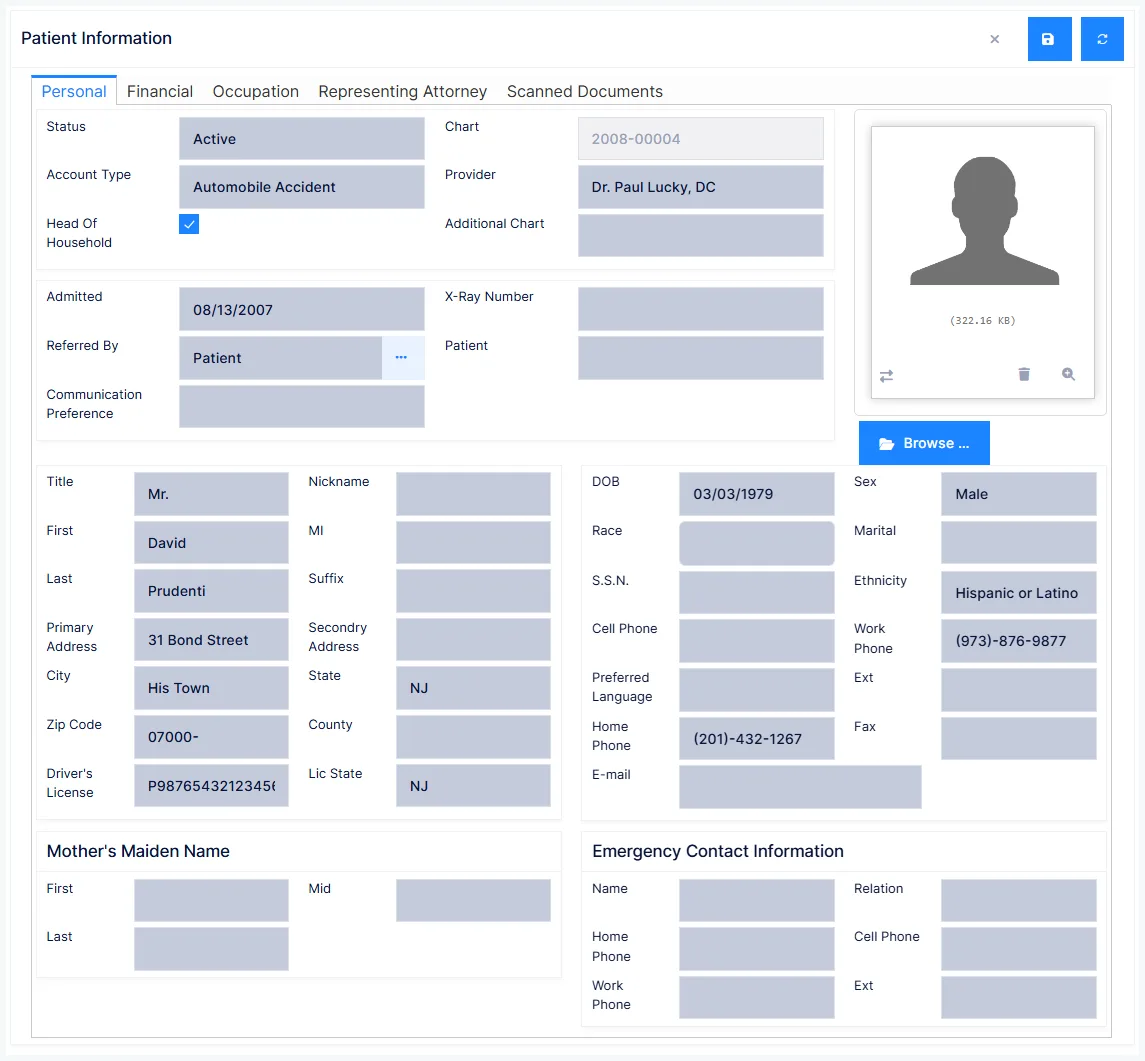
| Account | Status, Chart / Chart Type, Additional Chart, Account Type, Provider, Admitted, X-Ray Number, Referred By, Communication Preference |
| Household | Head Of Household, and the head of household's chart when this patient is a dependant |
| Name | Title, First, MI, Last, Suffix, Nickname |
| Address | Address 1 and 2, City, State, ZIP, County/Parish |
| Demographics | DOB, Sex, Race, Ethnicity, Marital status, S.S.N., Preferred Language, Driver's Licence and issuing state |
| Contact | Home, Work (with extension), Cell, Fax, E-Mail |
| Other | Mother's maiden name, emergency contact relationship |
Status
Active, Inactive, PRN, New Patient, Dismissed, Deceased, Delete.
Patients are never deleted
Even the Delete status is only a categorisation — it does not remove anything. Health records are retained indefinitely, which many states require by law, and chart numbers are never reused. Retire a patient by setting Status to Inactive or Deceased.
Fields that earn their keep later
Additional Chart and X-Ray Number are both searchable from the Front Desk. Additional Chart is the natural home for the patient's ID in your previous practice-management system, so historical records stay cross-referenceable after a migration.
Driver's Licence is optional but valuable for collections — particularly since patients often decline to give a Social Security Number, and legally cannot be compelled to.
Head Of Household is ticked by default, meaning the patient is their own head of household. Untick it to point at another patient's chart, and this patient's charges roll up onto that person's statement, itemised per family member. If a patient is the only member of their family who attends, leave it ticked regardless of age.
Referred By records where the patient came from — Attorney, Employer, Newspaper Ad, Patient, Radio, Referring Physician, TV, Yellow Pages. Choosing Patient, Attorney, Employer or Referring Physician then lets you name the specific source. It takes seconds at intake and cannot be reconstructed later.
Communication Preference records how the patient wants to be reached: Home Phone, Work Phone, Cell Phone, Fax, E-Mail, Emergency Contact, In Person Only, Text Message, or Do Not Contact. Honour it — it drives reminders and bulk mailings, and it is one of the six Meaningful Use fields.
Financial tab
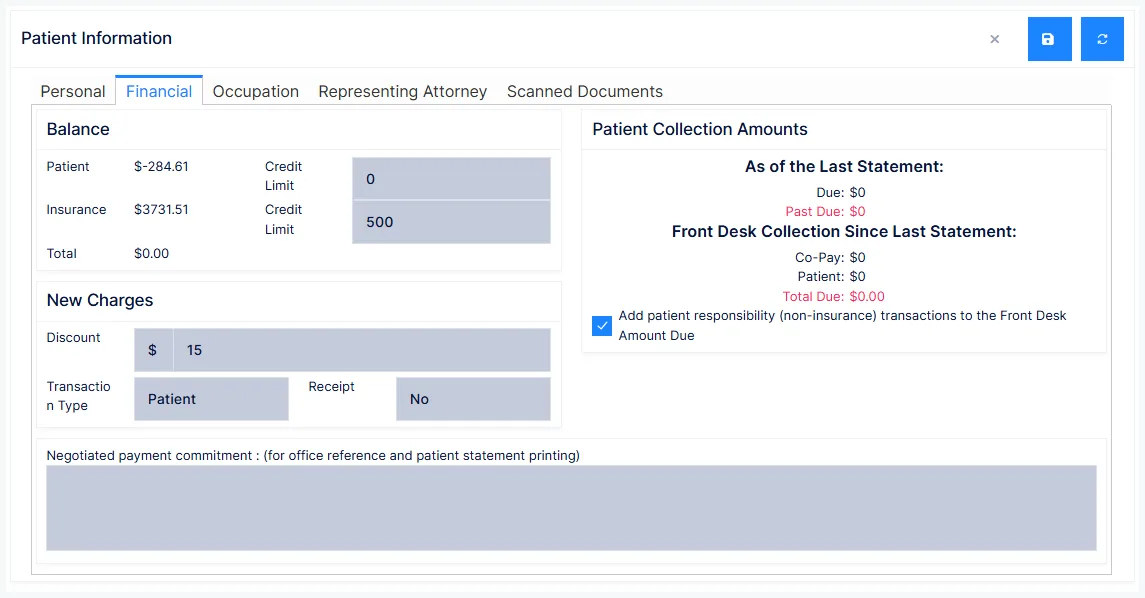
Money terms for this patient. Defaults arrive from the Account Type you chose on the Personal tab and can then be adjusted per patient.
| Group | Fields |
|---|---|
| Balance | Patient balance and Credit Limit, Insurance balance and Credit Limit, Total |
| New Charges | Discount (amount, with $ or %), Transaction Type, Receipt |
| Patient Collection Amounts | Due and Past Due as of the last statement; Co-Pay, Patient and Total Due collected at the front desk since |
| Add patient responsibility (non-insurance) transactions to the Front Desk Amount Due | |
| Negotiated payment commitment | Free text, for office reference and printed on this patient's statement |
Credit Limits are early-warning thresholds. Exceeding the patient limit signals a collections conversation; exceeding the insurance limit signals it is time to chase the carrier.
Transaction Type decides who a discount applies to — Patient, Insurance, or Both. Three options exist because state laws differ on this.
Receipt — No, Yes, or Payment. Payment (receipt only when money changes hands) suits cash and self-pay patients; Yes prints one every visit and is usually a lot of wasted paper.
Discounts are a regulated area
Check your state's rules and federal regulations before setting standing discounts. Medicare treats a discount as a gift and caps gifts at $50 per patient per year. Some states additionally require that any discount given to a patient must also be extended to insurance carriers. There are lawful ways to discount — but the rules vary, and this field makes it easy to create an exposure without noticing.
Occupation tab
Employer and work details, used in Narrative Reports and in marketing letters through SmartPad merge fields.
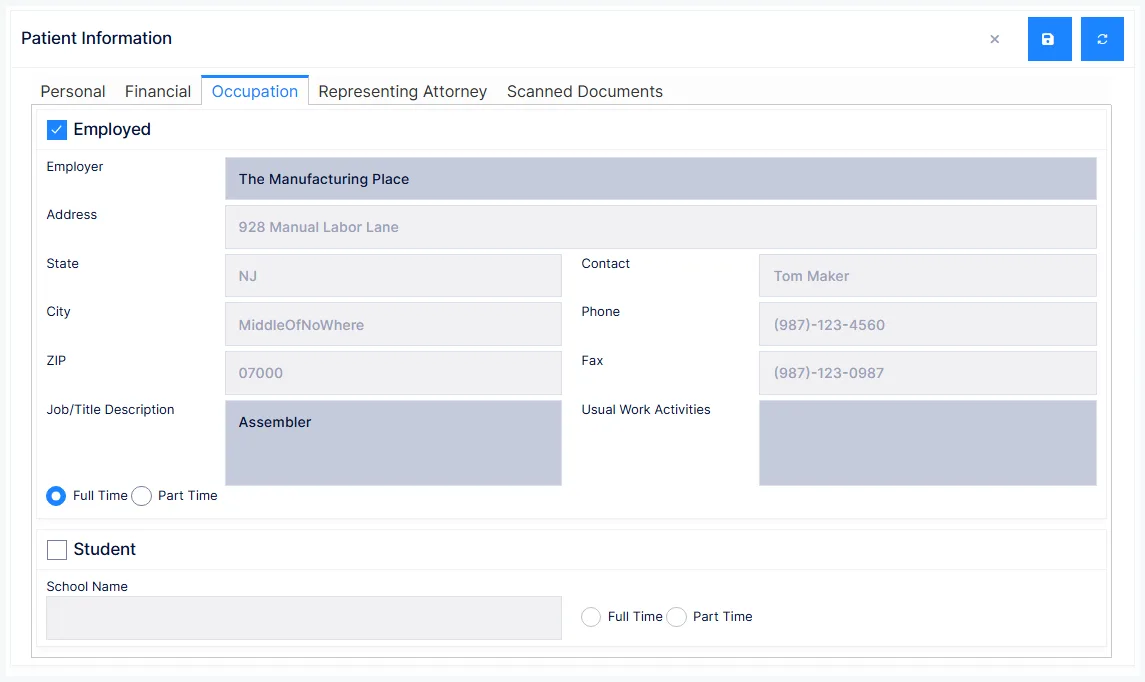
- Employed — and the employer, drawn from the Employers catalog
- Job title / description and Usual Work Activities
- Employment status — full or part time
- School — for student patients, with full/part time status
The employer must exist in the Employers catalog before you can attach it here.
Usual Work Activities is worth completing properly for any work-injury patient — it is the baseline you compare against when documenting restrictions and return-to-work status.
Representing Attorney tab
The attorney acting for the patient, selected from the Attorneys catalog. Address, contact, phone and fax fill in from the catalog and are read-only here — change them in the catalog, not on the patient.
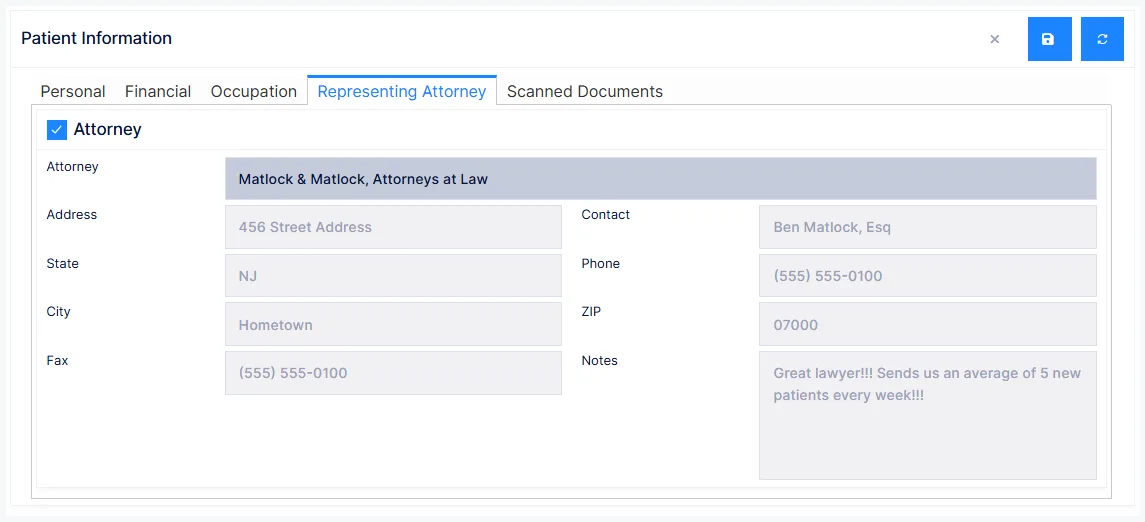
The Notes shown come from the catalog. They are for in-office reference and do not print.
Scanned Documents tab
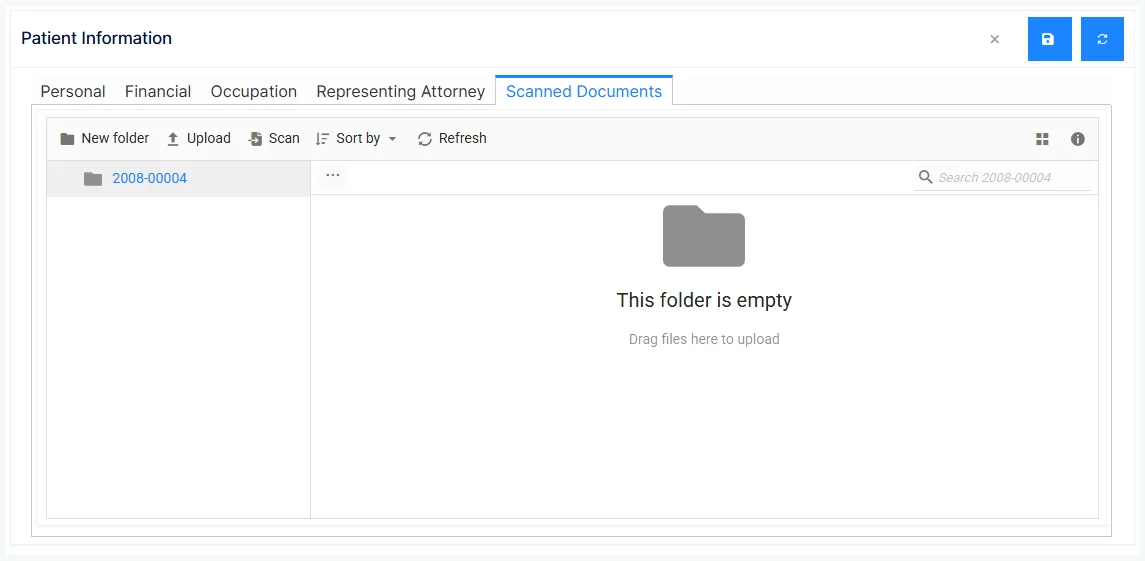
Documents scanned or uploaded into the patient's file — insurance cards, signed authorisations, driver's licence, referral letters. Once saved they are available anywhere in ChiroPad that shows the patient's record.
Scan the authorisation, not just the fact of it
Insurance claims depend on having a signed PHI release and, where you accept assignment, a signed assignment of benefits. Keeping the scanned original on the patient's file is what lets you answer a carrier's request without hunting through paper.
Saving
Click Save in the panel toolbar. If anything required is missing, ChiroPad lists every problem at once rather than saving a partial record.
Reset discards your edits and reloads the record as last saved.