
Appearance
Contact catalogs
Four catalogs record organisations and people outside the practice:
Attorney · Employer · Referring Physician · Diagnostic Imaging Center
They work the same way and share almost the same fields, so they are covered together here. Each one's differences are called out below.
The shared fields
| Field | What it is |
|---|---|
| ID | Internal key. Up to 10 characters, permanent once saved, and not printed on anything |
| Status | Active or Inactive. Inactive keeps the history but makes the record unselectable |
| Name | The organisation — see the per-catalog table below for what it's called |
| Contact | The person you deal with there |
| Phone, Fax | Two numbers. Extra ones go in Notes |
| Address, City, State, ZIP | Mailing address. State is a list, not free text |
| Notes | Internal reference — never printed, seen only by practice staff |
Use ZIP+4 wherever you can
Medicare and several other programs expect the nine-digit form. It costs nothing to enter it now and avoids claim friction later.
What each one is for
| Catalog | Name field | Used by |
|---|---|---|
| Attorney | Firm — the law firm's name | Patient records, Account Types, marketing letters |
| Employer | Employer — the company name | Patient Occupation tab, Account Types, marketing letters |
| Referring Physician | Title, First, Middle, Last, Suffix | CMS-1500 boxes 17, 17a, 17b; imaging and exam reports |
| Diagnostic Imaging Center | Firm — the facility's name | Imaging and exam reports |
Employer means the company
Not the patient's supervisor or boss. The Contact field is where a person's name goes — and for an employer that may be a department rather than an individual.
Referring Physician — the differences
This catalog carries claim consequences the others don't.
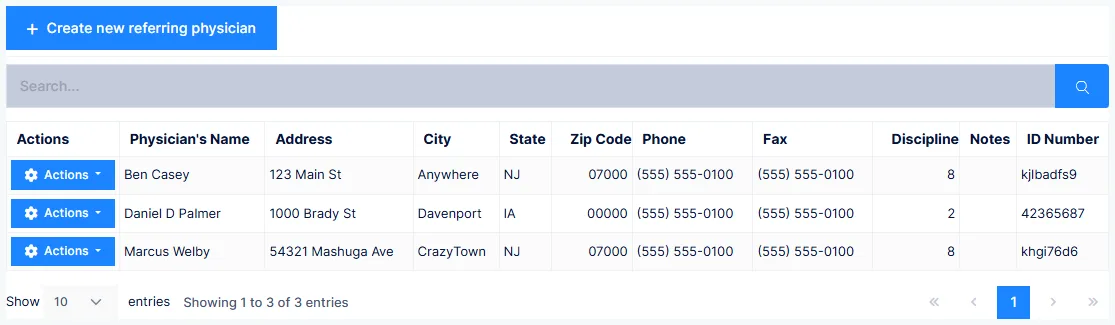
Instead of a single name field it has Title, First, Middle, Last and Suffix, all of which should be completed. Full Name is assembled from them automatically — you don't type it.
An inactive referring physician silently vanishes from claims
For referring provider details to appear in CMS-1500 boxes 17, 17a and 17b, the record's Status must be Active. Set it to Inactive and those boxes go blank — with no error and no warning. If a carrier starts rejecting claims for a missing referring provider, check the status here first.
Despite the name, this catalog covers more than doctors who refer patients to you. Use it for any outside provider involved in the patient's care: whoever referred them in, anyone who has treated them, whoever prescribed treatment or diagnostic tests, and anyone you refer out to.
You may need to add your own providers here
Some carriers require the prescribing doctor in boxes 17/17a/17b even when the prescribing and treating doctor are the same person. Where that applies, the doctors and therapists in your own practice need entries in this catalog too.
Diagnostic Imaging Center — the differences
Originally for imaging facilities, now used for any diagnostic facility you work with — laboratories, nerve conduction studies, other practices that performed examinations.
Feeds the Diagnostic Imaging Report and the sensory, muscle and extremity exam screens.
Attorney — the differences
Firm is the law practice's name. Contact is usually the attorney, though it may be a secretary or office manager.
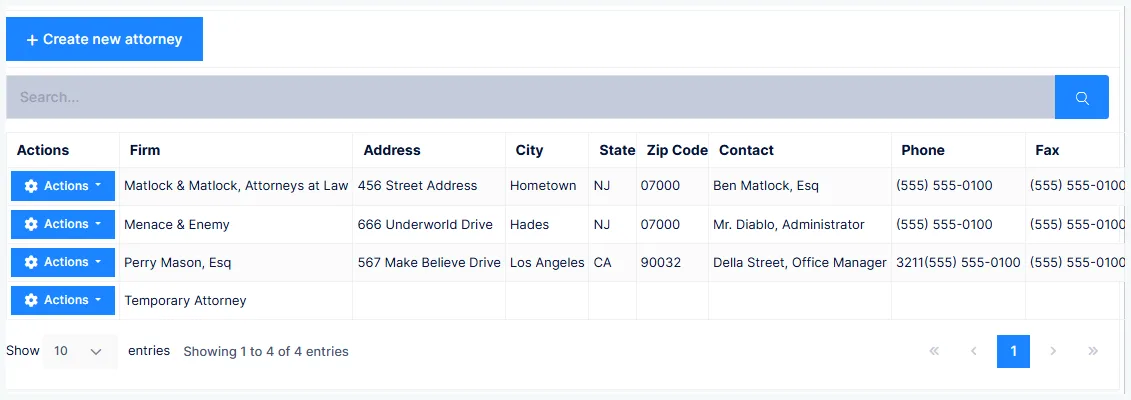
Notes entered here appear on the patient's Representing Attorney tab, read-only, and do not print.
Keeping the addresses clean
All four catalogs feed bulk letter production — marketing to attorneys, employers, other doctors and imaging centres. The quality of that mailing is exactly the quality of the addresses stored here.