
Appearance
Policies
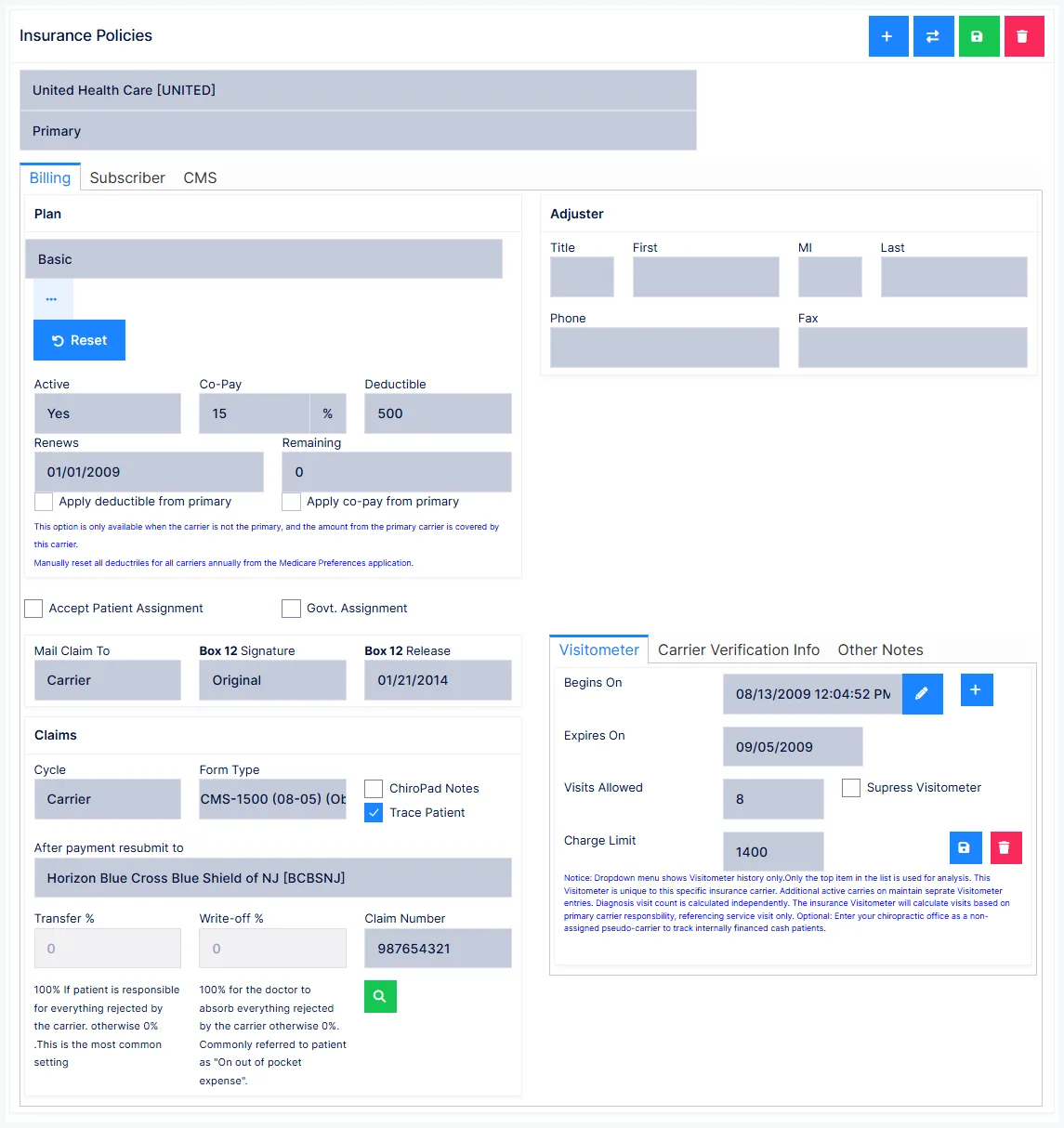
Insurance Policies holds each carrier that covers the patient, the subscriber behind the policy, and the settings that shape how claims are built. Getting paid depends on this screen: most claim rejections trace back to something missing or wrong here.
A patient can have any number of carriers. Pick which one you are looking at from the carrier list at the top, and set each one's priority — primary, secondary, tertiary and so on — from the priority selector beside it.
Setting priority is a separate step
Adding a carrier does not order it. A carrier with no priority set will not behave correctly in the claim cascade.
The screen has tabs for Billing, Subscriber, CMS, Visitometer, Carrier Verification Info and Other Notes.
Adding a carrier
The carrier must already exist in the Insurance Carriers catalog. Click +, find the carrier, and select it. Its defaults flow into the Billing tab; you then add what is specific to this patient.
Ending or correcting coverage
These two look similar and are emphatically not interchangeable:
| Situation | What to do |
|---|---|
| The patient's coverage genuinely changed | Set the old policy Active = No and add the new carrier |
| You picked the wrong carrier by mistake, before any real billing | Use Change Carrier |
Change Carrier destroys billing history
Change Carrier swaps the carrier while keeping the policy data you typed. If charges were correctly billed to the original carrier and you use it, that billing history is lost. It exists to fix a data-entry mistake — never to record a real change of coverage.
Likewise, do not delete a carrier once charges have been assigned to it. Setting Active = No preserves the history. Note that charges already assigned to a carrier are not changed retroactively when you deactivate it.
Retroactive handles the common case where a patient first says they have no insurance and later produces a card: it reassigns already-posted charges from patient responsibility to the carrier.
Billing tab
| Field | What it does |
|---|---|
| Intelli$ense | The carrier's fee schedule and modifiers |
| Active | Whether new charges route to this carrier |
| Co-Pay | Per-visit patient amount, as $ or % |
| Deductible | Reference only |
| Remaining | Functional — while above zero, charges are assigned to the patient |
| Renews | Deductible renewal date, typically 1 January |
| Accept Patient Assignment | Prints "Signature on File" in CMS-1500 Box 13 |
| Govt. Assignment | Sets Yes/No in CMS-1500 Box 27 |
| Mail Claim To | Patient, carrier, or subscriber — locked to Carrier when assignment is accepted |
| Box 12 Signature / Release | PHI authorisation and the date it was signed |
| Cycle | When claims are produced |
| Form Type | Paper CMS-1500, electronic, or New York C4 |
| ChiroPad Notes | Print SOAP notes with paper claims |
| Trace Patient | Adds tracer text to claims over 15 days old |
| After payment resubmit to | The next carrier in the cascade |
| Transfer % / Write-off % | How an unpaid balance is split |
| Claim Number | Incident-level number, distinct from the policy number |
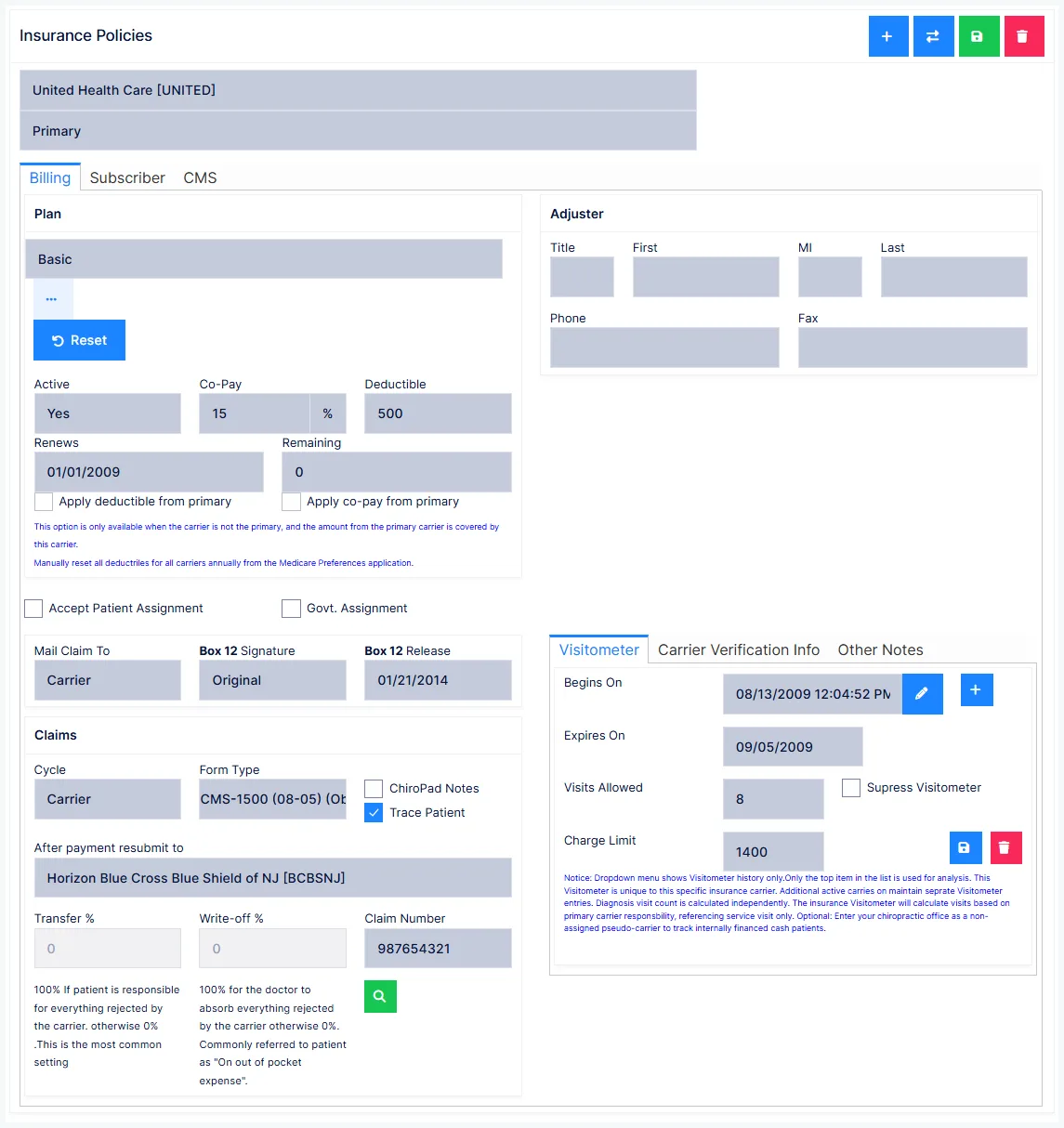
Intelli$ense edits affect every patient on that carrier
Intelli$ense is the carrier's fee schedule. Opening it from inside one patient's policy is convenient and misleading — any change you make applies to every patient covered by that carrier.
Deductible Remaining is the field that actually does something
Deductible is a note to yourself. Remaining drives behaviour: while it is above zero, ChiroPad assigns charges to the patient, and combines the outstanding deductible with the co-pay when working out what to collect at the visit.
Only fill in Remaining when you are certain
Enter a remaining deductible only when you are confident the patient will meet it in your office. If they meet it somewhere else and the carrier pays you anyway, unpicking the posting is considerably more work than leaving the field at zero would have been.
Transfer % and Write-off %
These decide what happens to the part of a charge insurance did not pay. The two must total 100%.
- Transfer 100% — the whole unpaid balance becomes the patient's responsibility
- Write-off 100% — the whole unpaid balance is written off
Writing off patient balances is legally loaded
In many states the patient must pay 100% of what insurance did not. Writing it off can be treated as fraud or a two-tier billing scheme. If you are in such a state, set Transfer % = 100 for all patients.
Federally, Medicare treats write-offs and discounts as gifts and caps them at $50 per patient per year.
This pair models an agreement with the patient. If the reduction comes from a carrier contract, it belongs in the Intelli$ense fee schedule instead, where ChiroPad writes off the difference automatically when the claim is created.
Subscriber tab
Who actually holds the policy. Relationship to Insured defaults to Self; if it is Spouse, Child or Other, the subscriber's name, DOB and sex become required, along with their address unless you tick use patient information for the remainder.
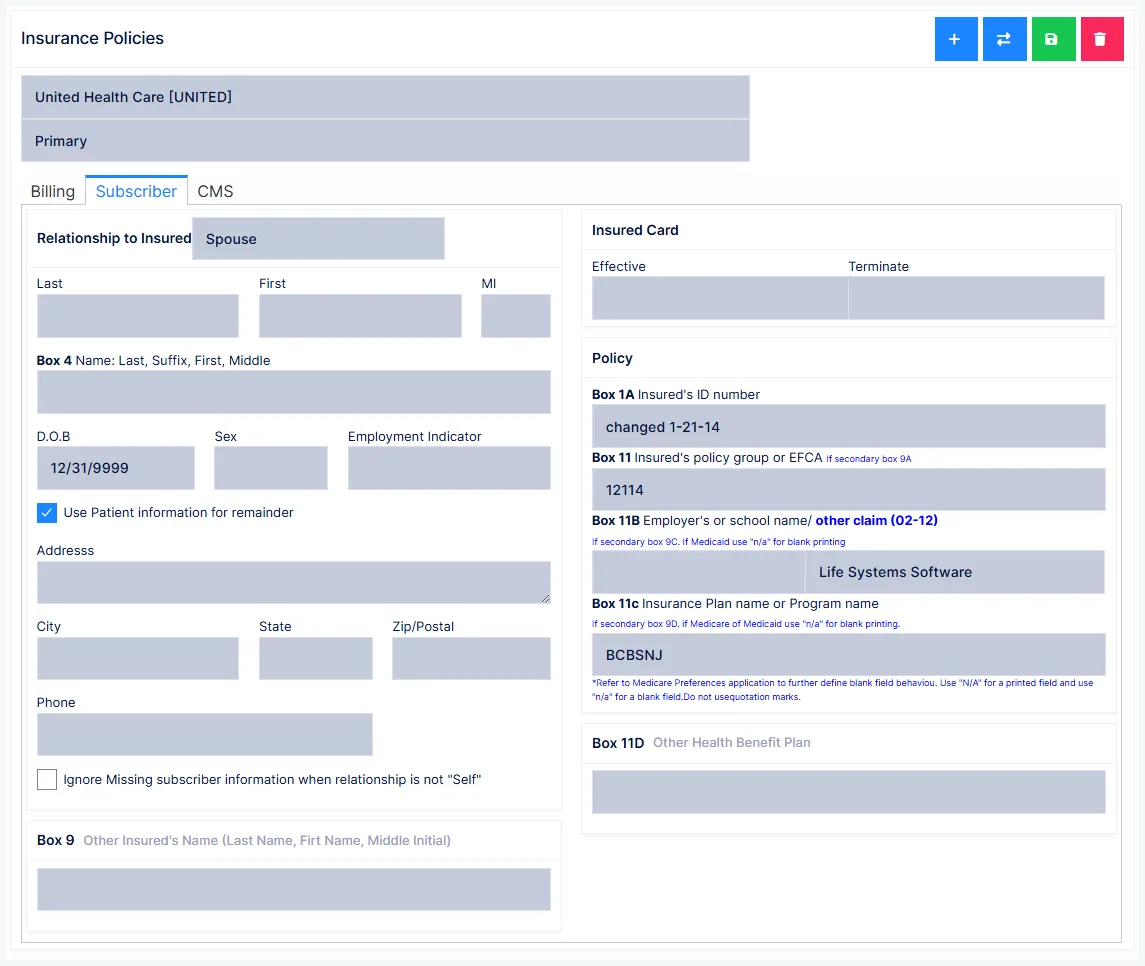
Subscriber Name prints into CMS-1500 Box 4 exactly as typed — use Last, First, Middle Initial.
The four Policy fields that hold claims
Four fields identify the patient to the carrier, and all four are mandatory:
Insured's ID number (Box 1A) · Insured's policy group or FECA (Box 11) · Employer's or school name · Insurance plan or program name
Leave any of them blank and the patient lands on the Pre-Billing tab of Insurance Manager, where claims are held and not produced. Nothing errors — the claims simply never appear.
"N/A" and "n/a" mean different things
Where a value genuinely does not apply, capitalised N/A prints N/A on the CMS-1500, while lower-case n/a leaves the box blank. The case is meaningful — choose the one the carrier expects.
If subscriber details are genuinely unavailable, Ignore Missing Subscriber Information releases the hold deliberately.
CMS tab
The CMS-1500 claim fields, mapped to their box numbers: onset and consultation dates, disability and return-to-work dates, condition-related-to routing (employment, auto accident with state, other), hospitalisation dates, referring physician, and the Medicaid resubmission and prior-authorisation numbers.
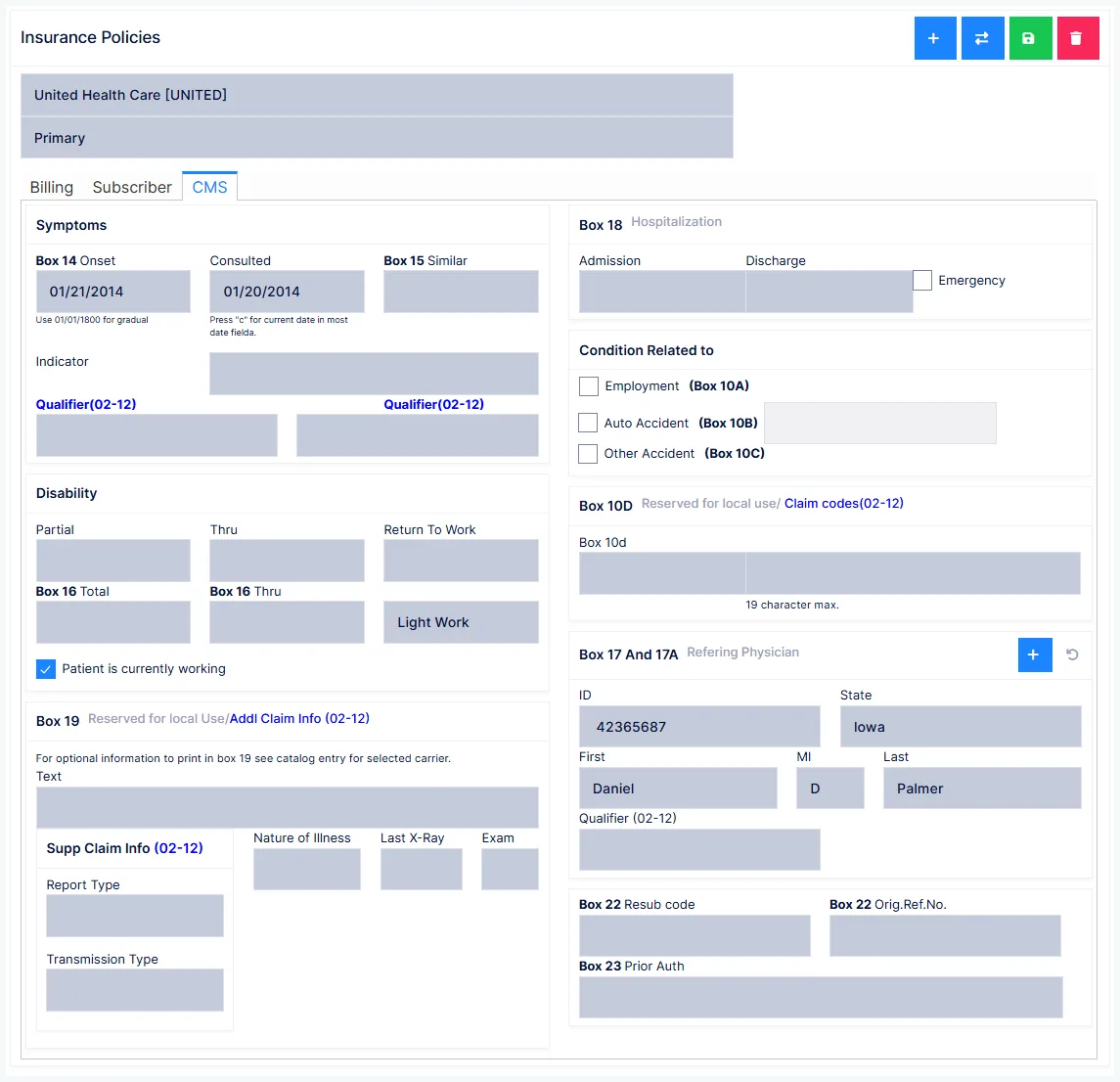
Onset (Box 14) is required. Consulted must be on or after Onset.
Onset date, paper vs electronic
Where symptoms came on gradually, entering 11-11-1111 prints the word GRADUAL in Box 14 on a paper CMS-1500. Electronic clearing houses cannot read it and will reject the claim automatically. Use a real date for anything submitted electronically.
Condition Related To decides who gets billed
| Ticked | Routes to |
|---|---|
| Nothing | Regular health insurance |
| Employment | Workers' Compensation |
| Auto Accident (+ state) | Auto insurance |
Medicare PART exam codes
Where the need for care is documented by examination rather than X-ray, enter the PART letters: Pain, Asymmetry, Range of motion, Tonicity.
Medicare requires at least two letters, and one of them must be A or R — so
PTis the one combination that is never valid.
Some Box 19 content has moved on
Medicare no longer wants subluxation level or treatment count in Box 19 — subluxation levels belong in the SOAP notes, and active treatment is signalled by the AT modifier. The X-ray date is still required when PART documentation is not being used.
Visitometer tab
A Visitometer tracks what a carrier has authorised, and warns you before you exceed it.
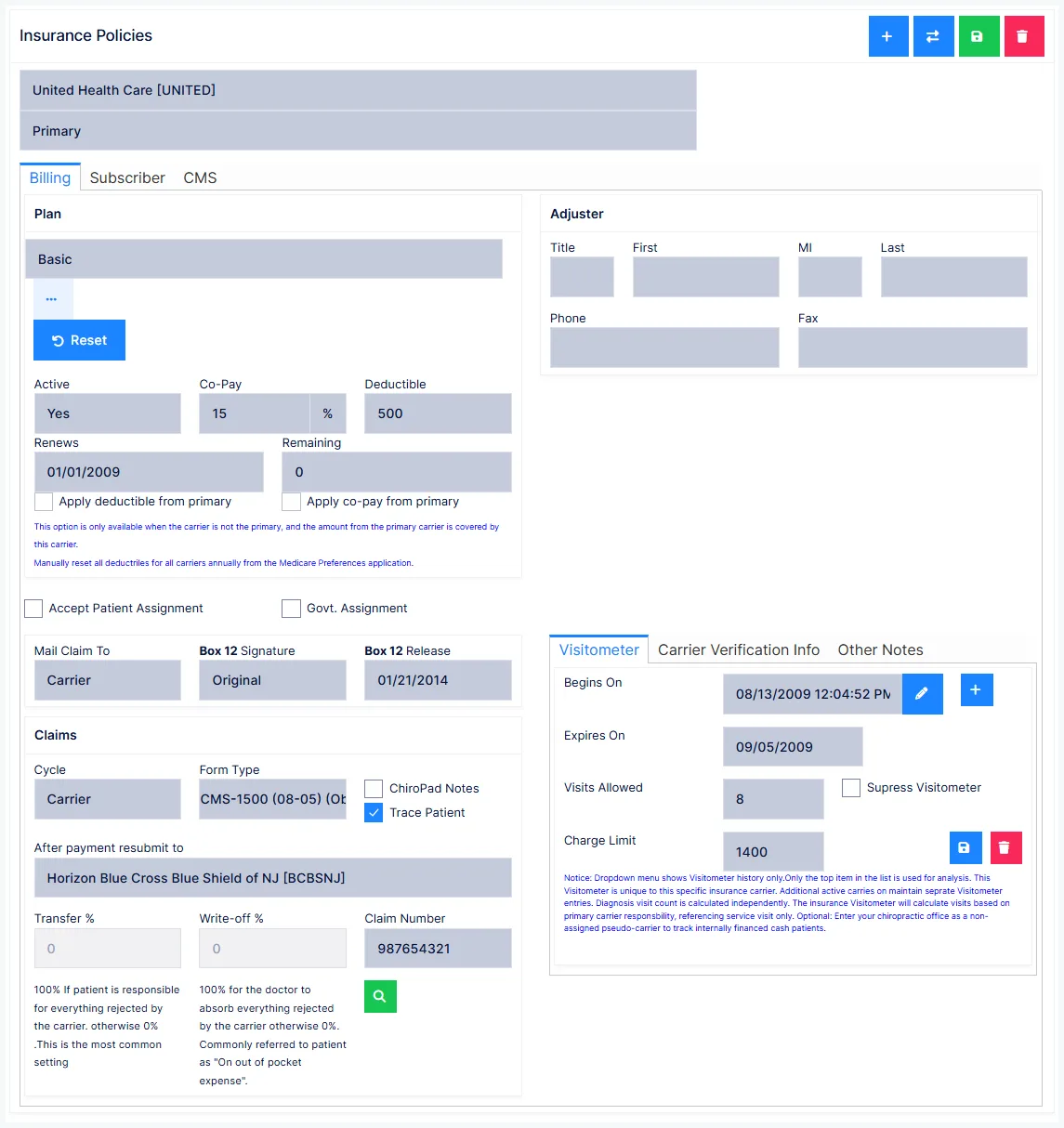
Click New Counter and set Begins On (required), then at least one limit: Expires On, Visits Allowed, or Charge Limit. If you set more than one, whichever is reached first triggers the alert.
Save it — an unsaved counter does nothing. Past counters are kept as read-only history.
Carrier Verification Info
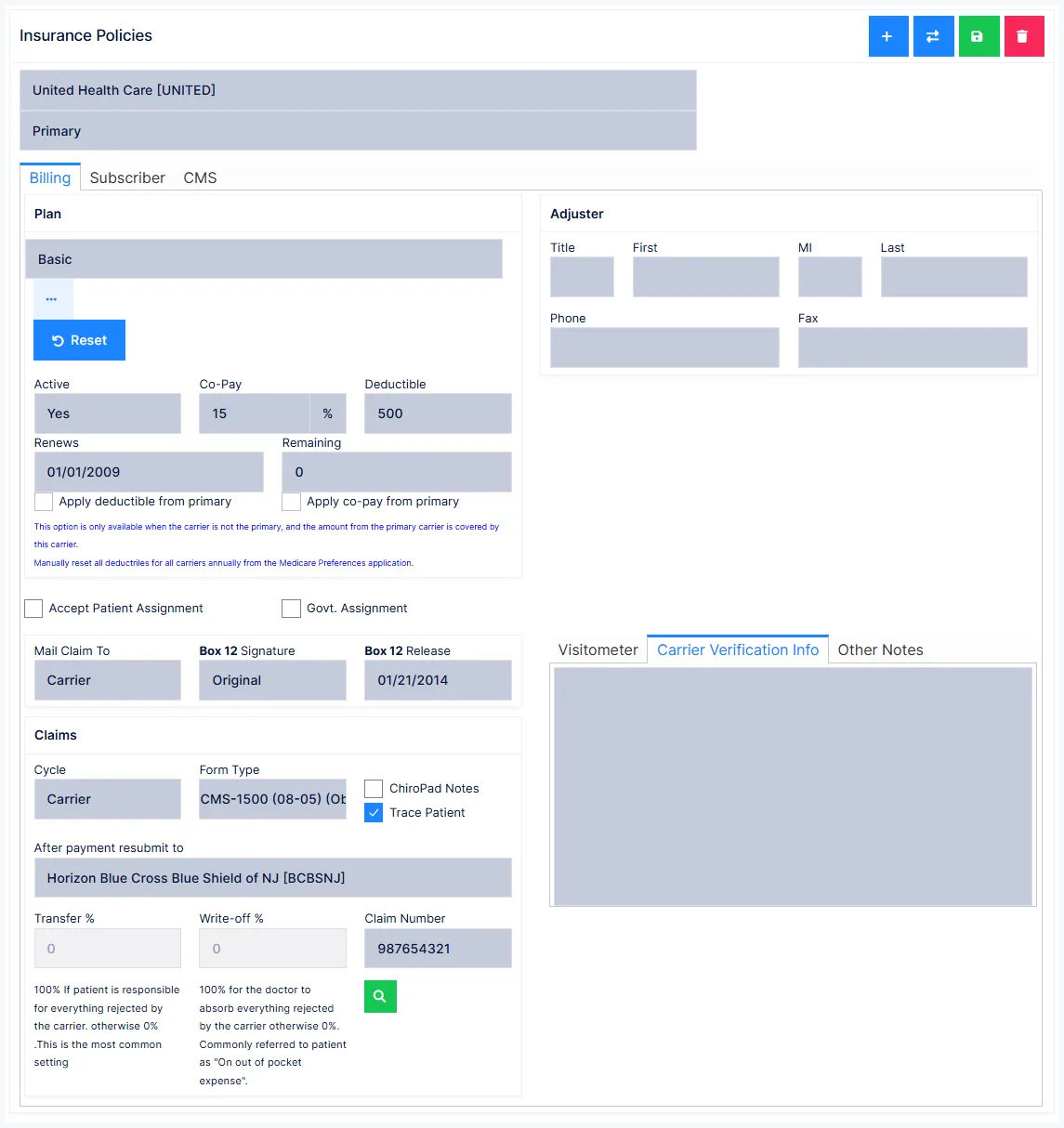
Free text, and the most under-used field on the screen. When you call a carrier to verify benefits, record: the date, who you spoke to, their phone/extension, the reference number for the call, the authorisation number, and anything they said that could bear on future claims.
This is your evidence
When a carrier later denies what they authorised on the phone, this note is the difference between a conversation you can win and one you cannot.