
Appearance
Reminder
Reminders replace the sticky notes stuck to a paper chart. There are two kinds, and they work differently:
| Kind | Attached to | Fires when |
|---|---|---|
| Pop-up message | A patient | Their chart is opened |
| Project | A patient or a staff member | A due date you set, with an optional advance alarm |
Pop-up messages
A pop-up appears whenever that patient's chart is opened, so whoever is dealing with them sees it at exactly the moment it matters.
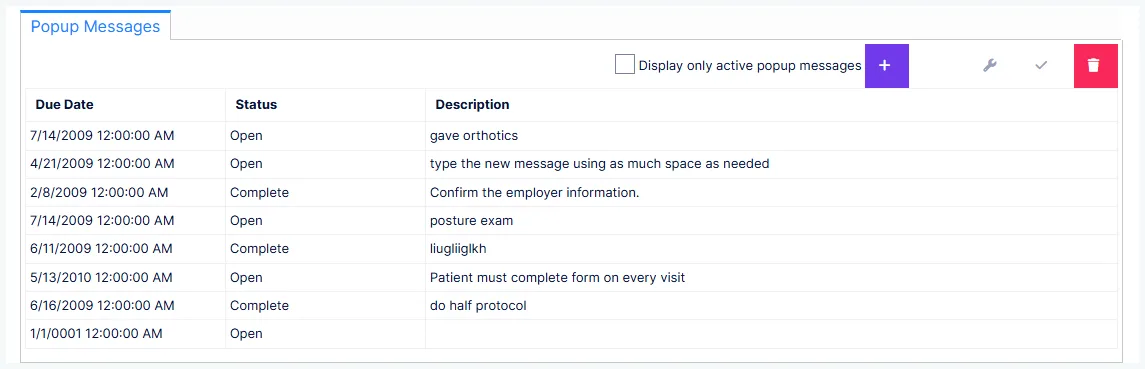
To create one, the patient's chart must be open.
| Field | What it does |
|---|---|
| Description | The message itself — this is what people will read |
| Start Alert On | When it begins appearing. Defaults to today; set a future date to defer it |
| Audience | Who sees it |
There is no end date. A pop-up keeps appearing until somebody marks it Complete.
Choose the audience deliberately
| Audience | Sees it |
|---|---|
| Administrative | Front-desk and admin staff only — doesn't interrupt the provider |
| Clinical | The provider only — doesn't clutter the front desk |
| General | Everyone |
Routing is what stops people ignoring pop-ups
A clinical warning that fires at the front desk, and a billing note that fires in the treatment room, both train people to dismiss pop-ups without reading them. Route each one to the people who can act on it and they stay meaningful.
Worth creating a pop-up for
- Critically important clinical facts to see every visit — spina bifida, prior spinal surgery
- Special payment arrangements
- Handling needs — mobility assistance, a patient who cannot wait past their appointment time
- Insurance information that needs updating
- Any follow-up that must not be forgotten
Completing, not deleting
Complete a reminder — don't delete it
Marking a pop-up Complete stops it appearing but keeps it on the patient's record. That history is part of the permanent record and is worth keeping — it shows what the practice knew and when.
Deleting is available, and is strongly discouraged. A completed reminder can always be reopened by setting it back to Open; a deleted one is gone.
Tick Display Only Active Popup Messages to filter the list to those still open.
Projects
Projects are task reminders. Unlike pop-ups, they are not tied to opening a chart — they surface on a date you choose.
| Field | What it does |
|---|---|
| Patient | The patient it concerns — or No Contact for a staff-only task |
| Responsible | The staff member it belongs to. You can assign to yourself or to someone else |
| Category | Classification |
| Description | The detail |
| Due Date | When it should surface |
| Set Alarm | Optional advance warning: a number plus minutes, hours, days, weeks or months before the due date |
Opening the Projects list offers three views:
| View | Shows |
|---|---|
| Overdue | Behind schedule and not completed |
| Upcoming | Scheduled for a future date |
| Complete | Finished, no longer surfacing |
You can scope the list to everyone or just yourself, and sort it.
Assigning work to other people is the point
Projects can be created for another staff member, which makes this a lightweight way to hand off follow-up — insurance verification, a call back to a patient, chasing a carrier — without it living in somebody's head or on paper.