
Appearance
Exams in the mobile app
The Exam menu holds the seven examination screens. Each exam is dated, and they share the same controls.
What every exam screen has
- The date bar — ◀ and ▶ step through the patient's earlier exams of that type; the pencil changes the date of the one on screen.
- New starts today's exam, and Clone starts today's exam as a copy of the one on screen, so you only change what is different.
- Only today's exam can be edited. An earlier exam is read-only, with a notice saying so; clone it to work from it. Sensory, Muscle and Extremity also have Make Addendum, to add to a saved exam without changing it.
- Preferences and Prior — on the imaging, sensory, muscle and extremity screens — set your defaults for the screen, and show what was recorded last time.
- Undo Changes, Delete and Save at the top right.
Ortho/Neuro
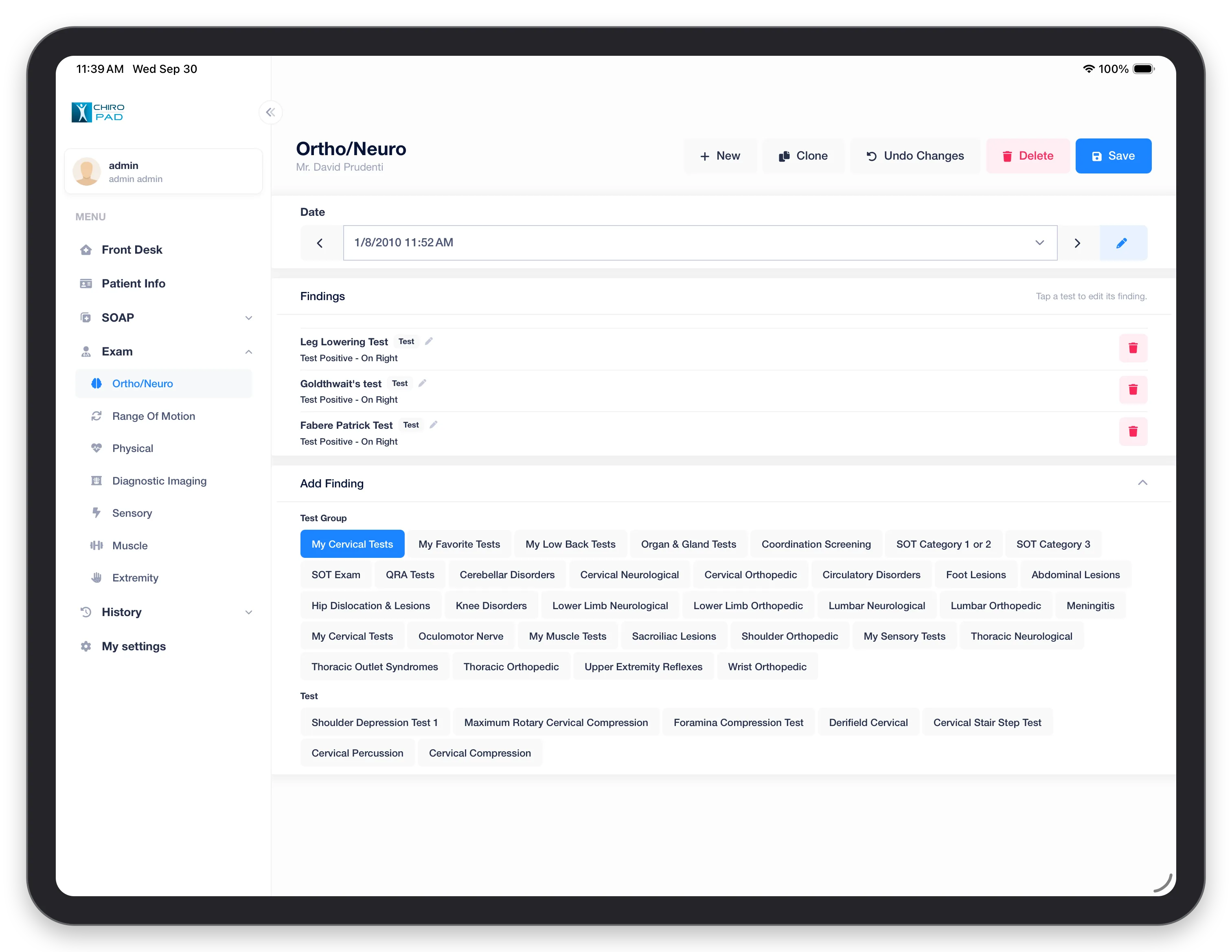
Recorded tests are listed under Findings, each with its result — for example Test Positive – On Right. Tap a test to change its finding, or the red button to remove it.
To add one, open Add Finding, tap a Test Group — including your own groups, such as My Cervical Tests — and then tap the Test. See Ortho/Neuro.
Range of Motion
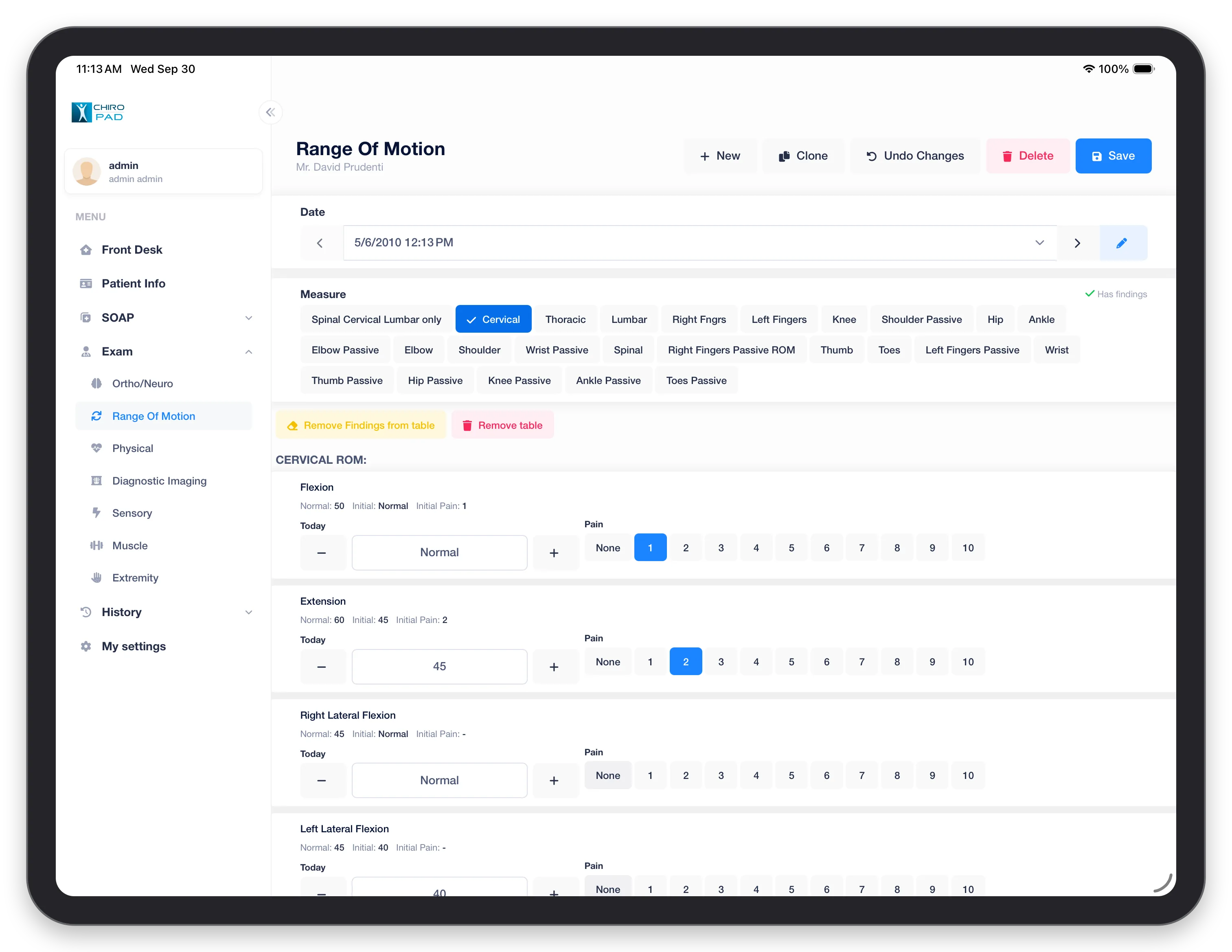
- Tap the area to measure under Measure — areas that already have findings are ticked
- For each movement, set today's value with − and +
- Tap the Pain rating, from None to 10
Each movement shows its Normal range and the patient's Initial value and pain, so you can see progress at a glance. Remove Findings from table clears the values; Remove table takes the area out of the exam. See Range of Motion.
Physical
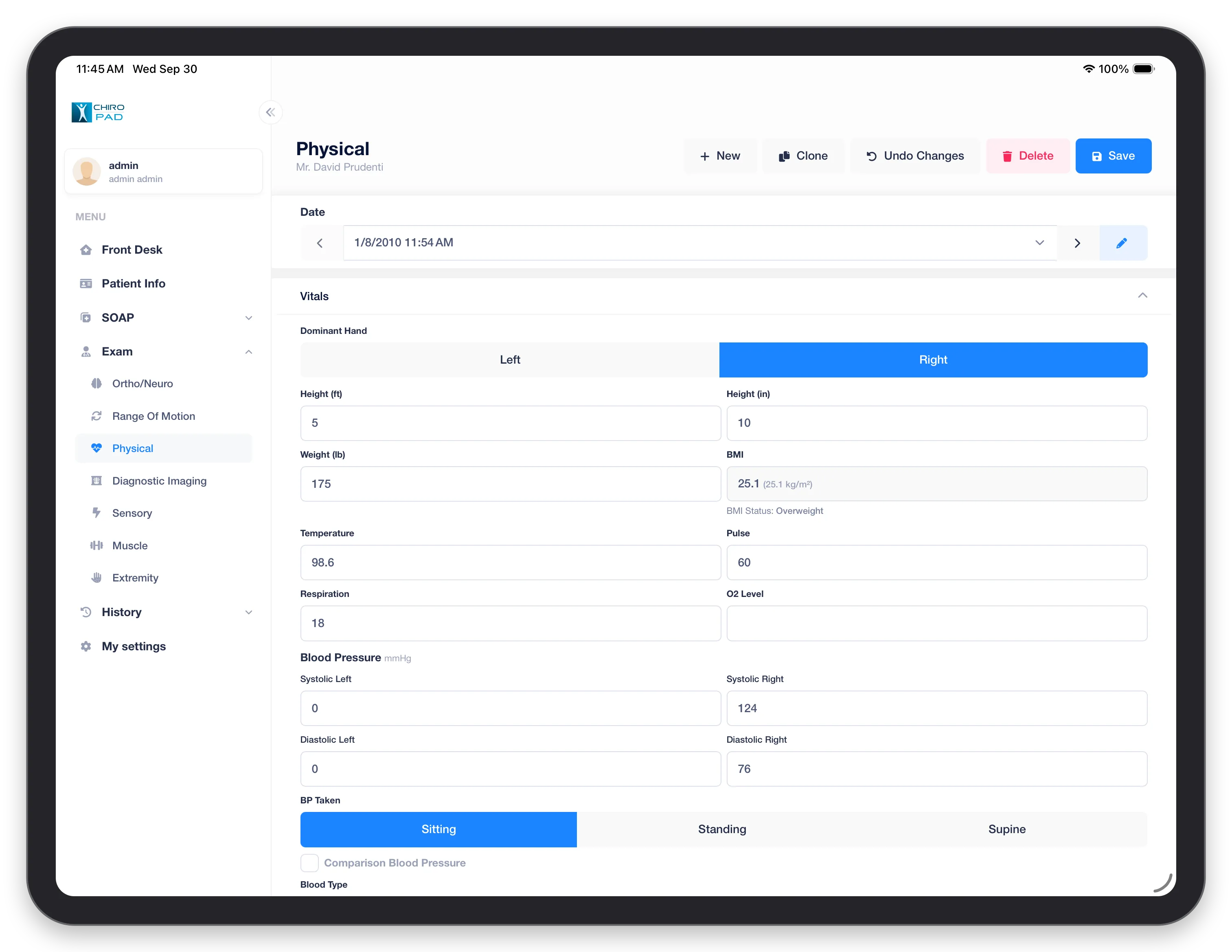
The Vitals: dominant hand, height, weight, temperature, pulse, respiration, oxygen level and blood pressure, left and right, with how it was taken — Sitting, Standing or Supine. BMI and the BMI status are calculated from height and weight. See Physical.
Diagnostic Imaging
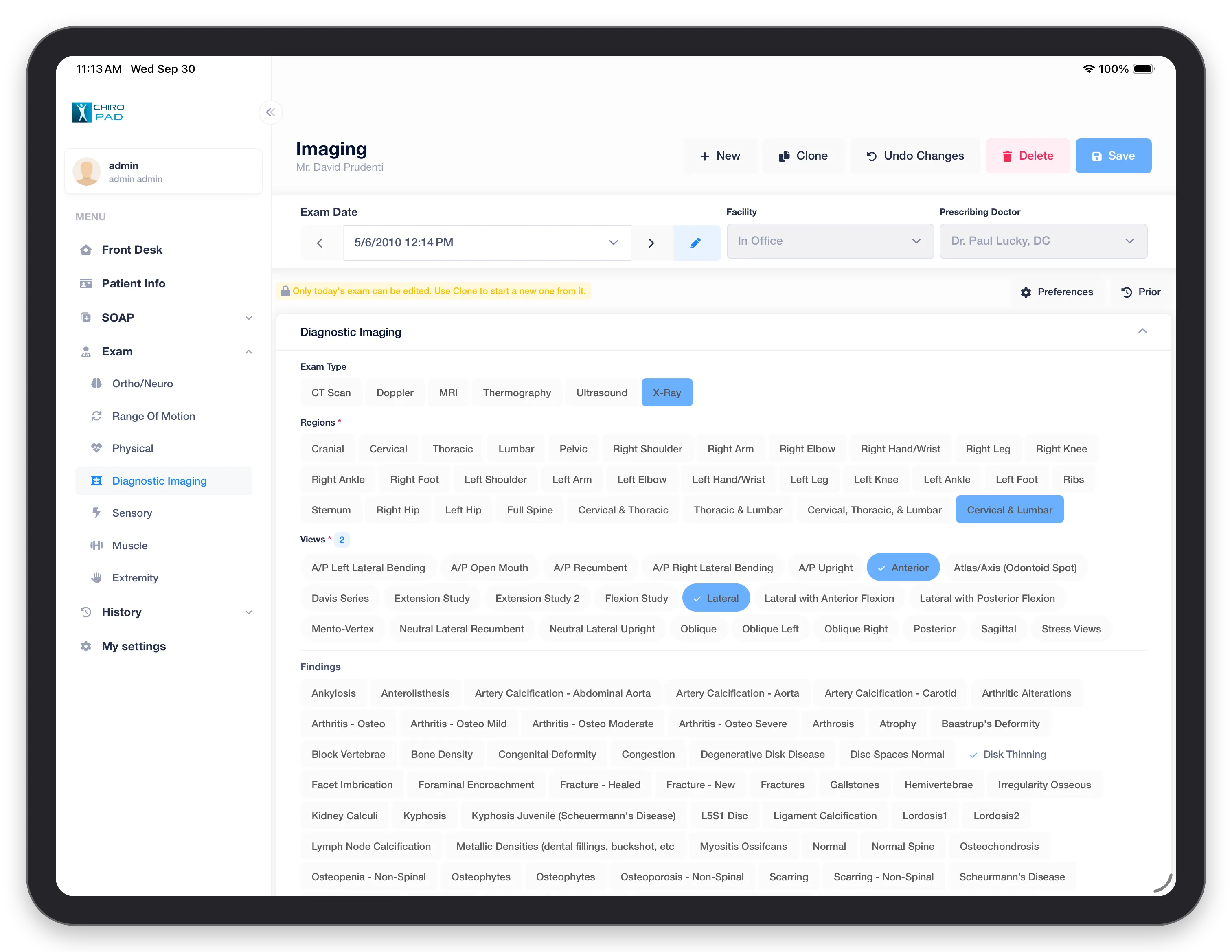
Set the Facility and Prescribing Doctor, then work down the screen, tapping to select:
- Exam Type — CT scan, Doppler, MRI, thermography, ultrasound or X-ray
- Regions imaged
- Views taken
- Findings
See Imaging.
Sensory
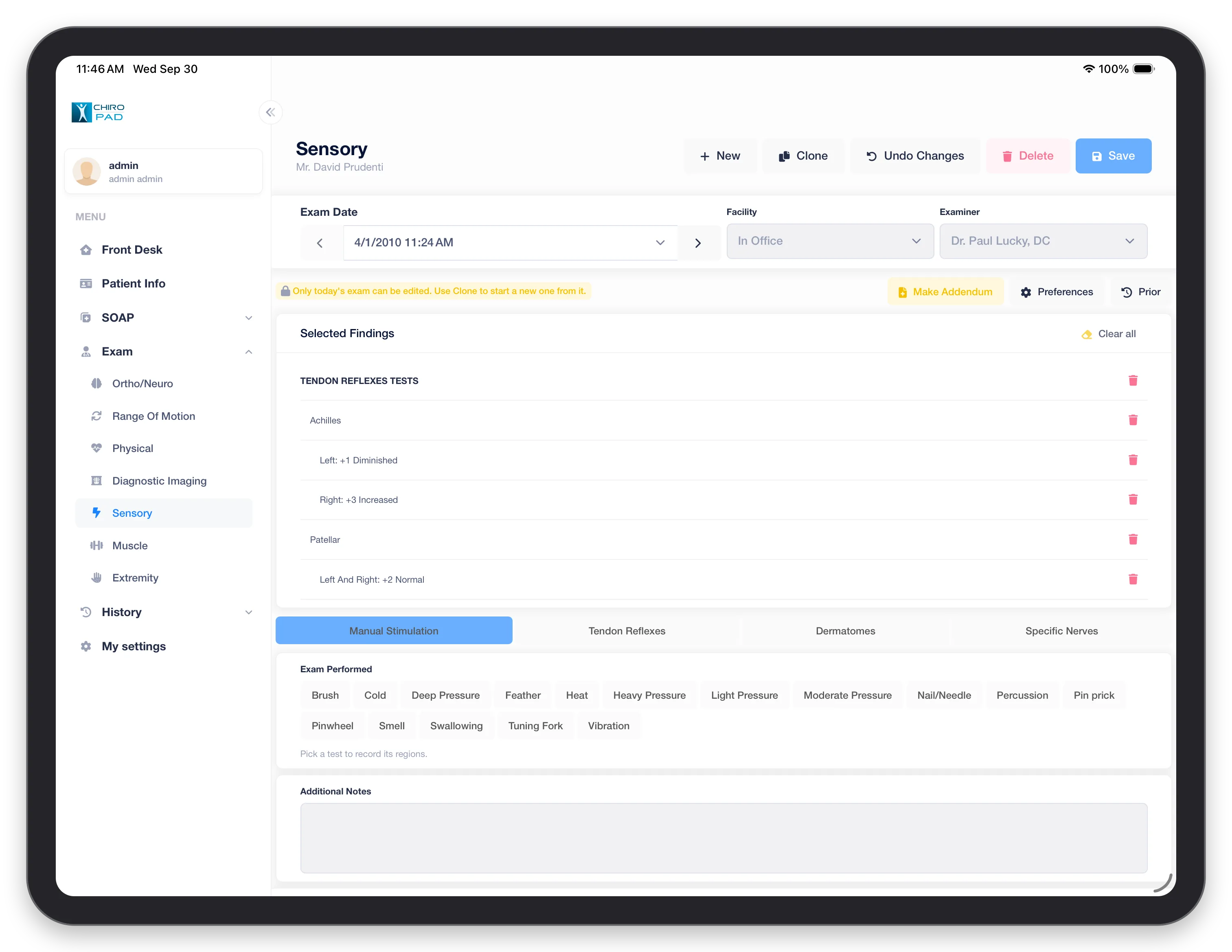
Four tabs of tests: Manual Stimulation, Tendon Reflexes, Dermatomes and Specific Nerves. Pick a test to record the regions it applies to; what you record collects under Selected Findings at the top, where Clear all or the red buttons remove it. Additional Notes takes free text. See Sensory.
Muscle
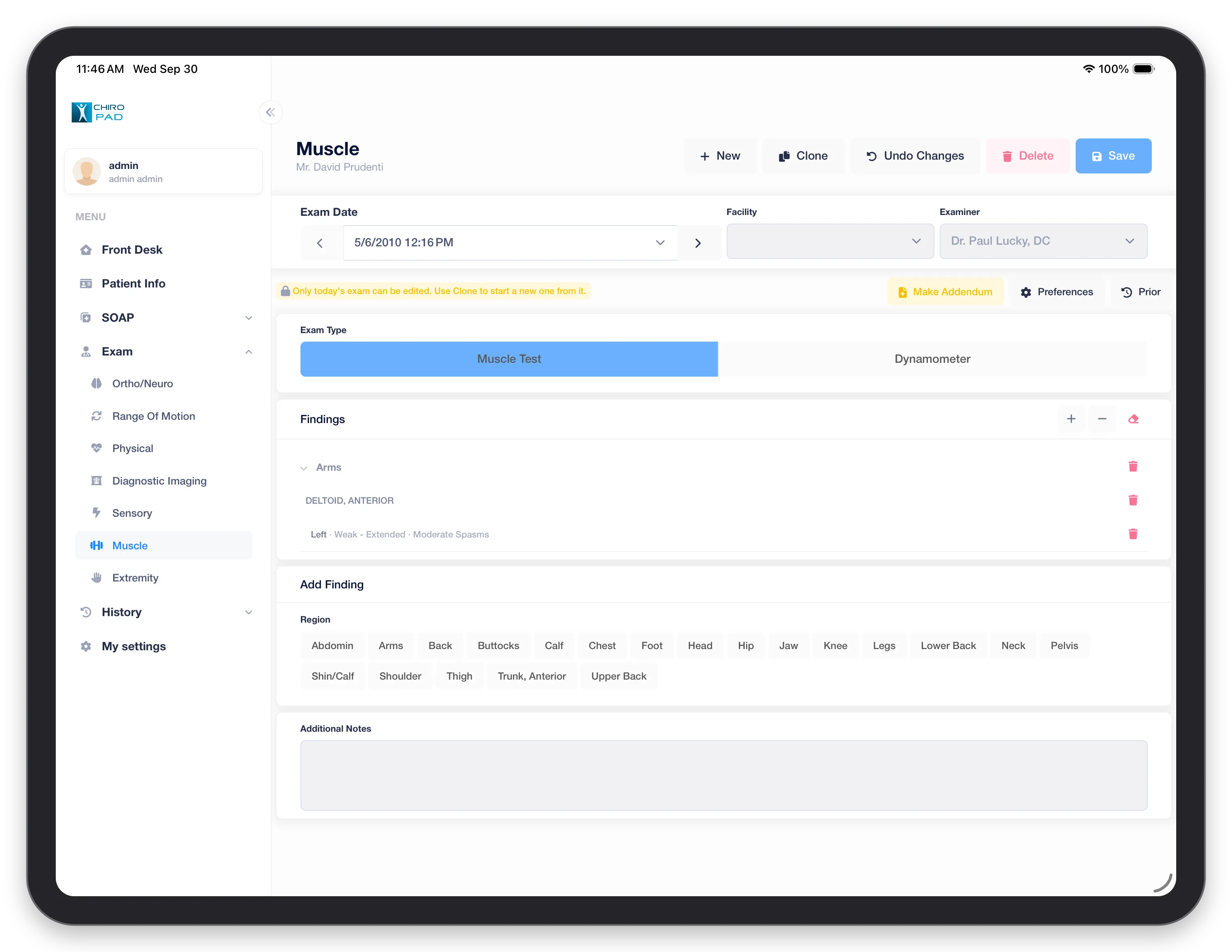
Choose Muscle Test or Dynamometer, then under Add Finding tap a Region to record a muscle's findings. They are grouped by region under Findings — for example the left anterior deltoid, weak, extended, moderate spasms. See Muscle.
Extremity
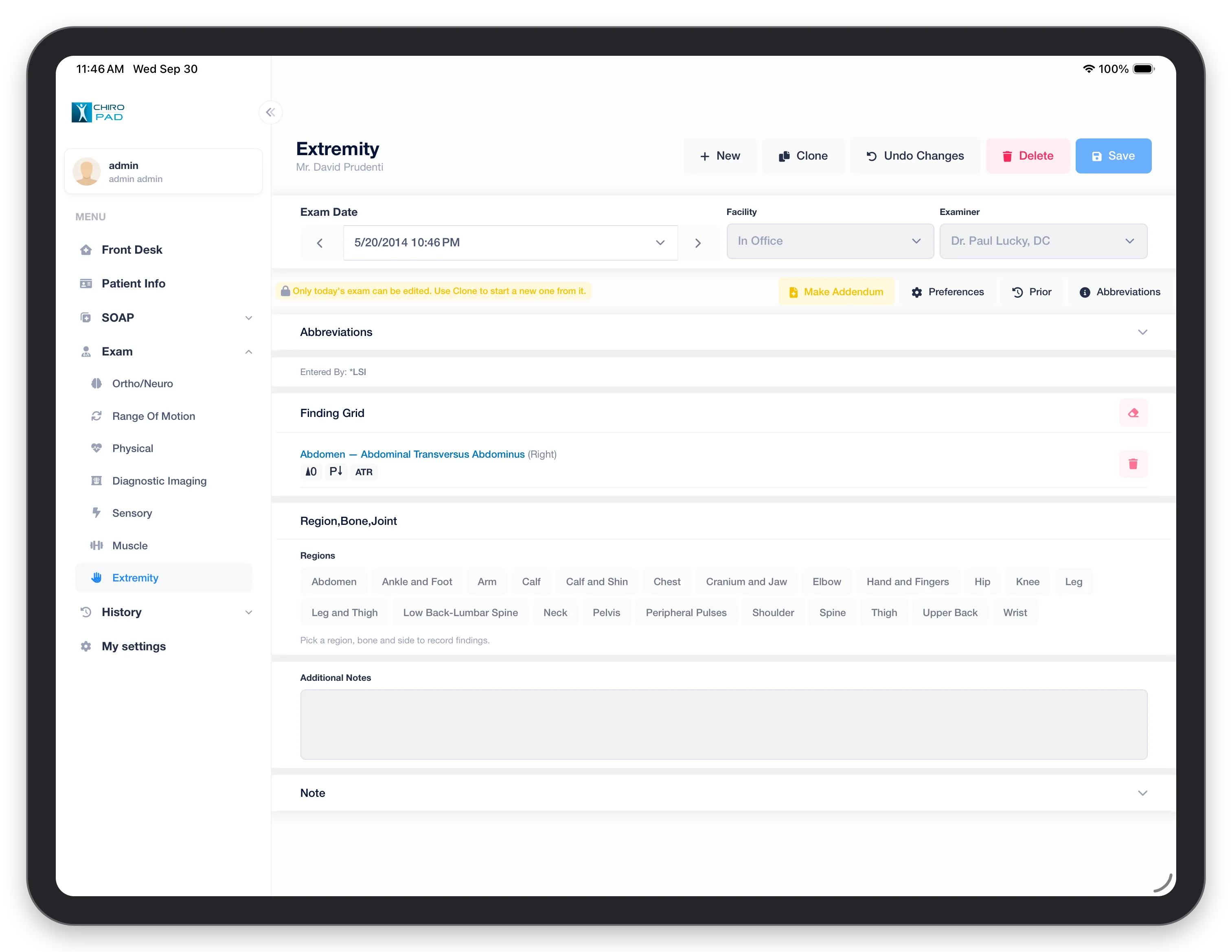
Pick a Region, then the bone or joint and the side, to record findings; each appears in the Finding Grid with its marks. Abbreviations explains the marks used. Additional Notes and Note take free text. See Extremity.