
Appearance
Transactions
The Transactions screen is where charges and patient payments are recorded. Everything financial goes here with one exception — insurance payments are posted on Post Insurance, because they have to be tied to a specific claim.
Getting paid starts here. The entries you make on this screen become the insurance claim and the patient statement.
Where charges come from
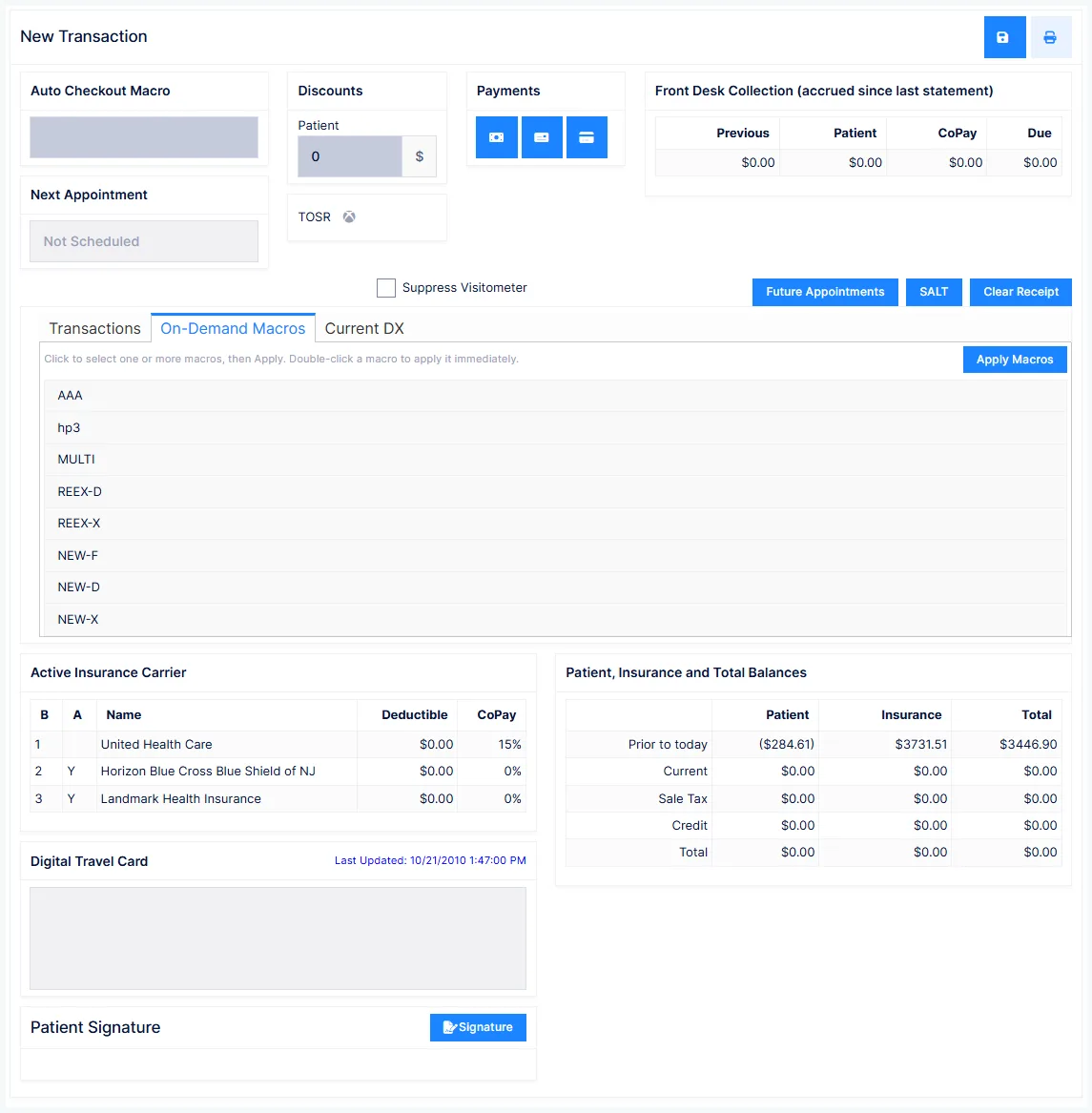
Charges usually arrive automatically at check-out rather than being typed. The Auto Checkout Macro setting decides the source:
| Source | Behaviour |
|---|---|
| Front Desk Wizard | Compares the appointment's plan against the provider's most recent clinical Plan entry. If they agree, it proceeds silently; if they disagree, it asks which to use. |
| Appointment Scheduler plan | Charges come from what was scheduled. Staff must confirm the services were actually provided. |
| Clinical Plan | Charges come from the provider's most recent Plan entry, ignoring the schedule. |
Sequence is what makes billing and documentation match
If the provider completes the Plan while the patient is still in the treatment room — before check-out — the charges are generated from what was documented, so the billing and the clinical record always agree. That consistency is your strongest position in an audit.
The Auto Checkout Macro only fires during check-out. Opening Transactions directly does not auto-populate anything.
Other ways to add lines
- On-Demand Macros tab — double-click a macro code to drop its whole set of services onto the transaction. Useful when the patient is checking out before the provider has saved the Plan, or when your practice doesn't use clinical documentation.
- SALT (Same As Last Time) — replays the previous visit's lines with today's date. Only use it when you are certain today is genuinely identical to last time.
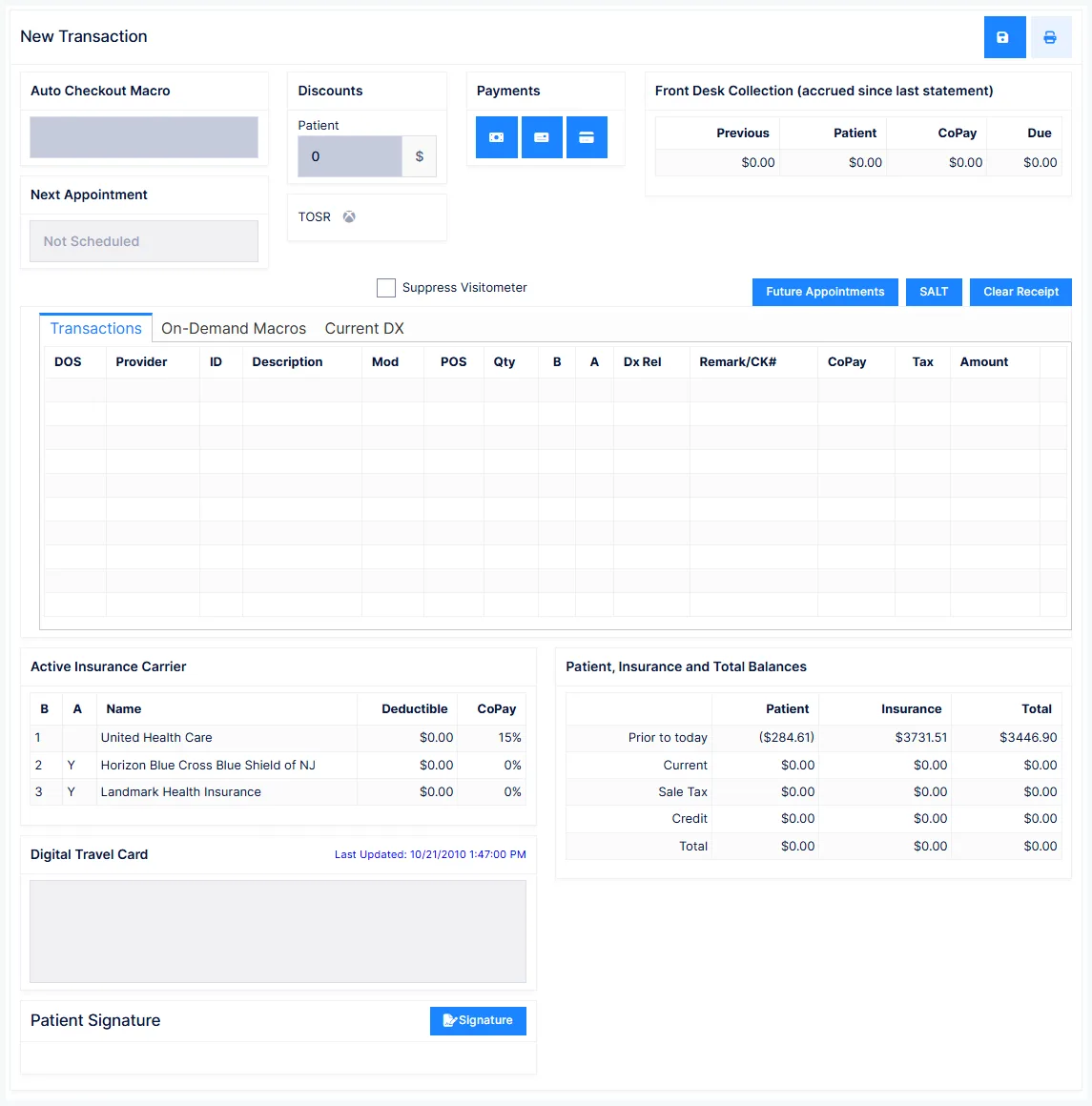
The transaction grid
| Column | What it is |
|---|---|
| DOS | Date of service. Defaults to today. |
| Provider | Who gets credited with the income. Overridable per line. |
| ID | The procedure code — a service, a product, or an accounting code such as a payment |
| Description | Pulled from the Procedure catalog |
| Mod | Modifier for the claim |
| POS | Place of Service → CMS-1500 Box 24B |
| Qty | Units |
| B | Billable to: P for patient, or the carrier number |
| A | Accept assignment — whether the carrier pays you or the patient |
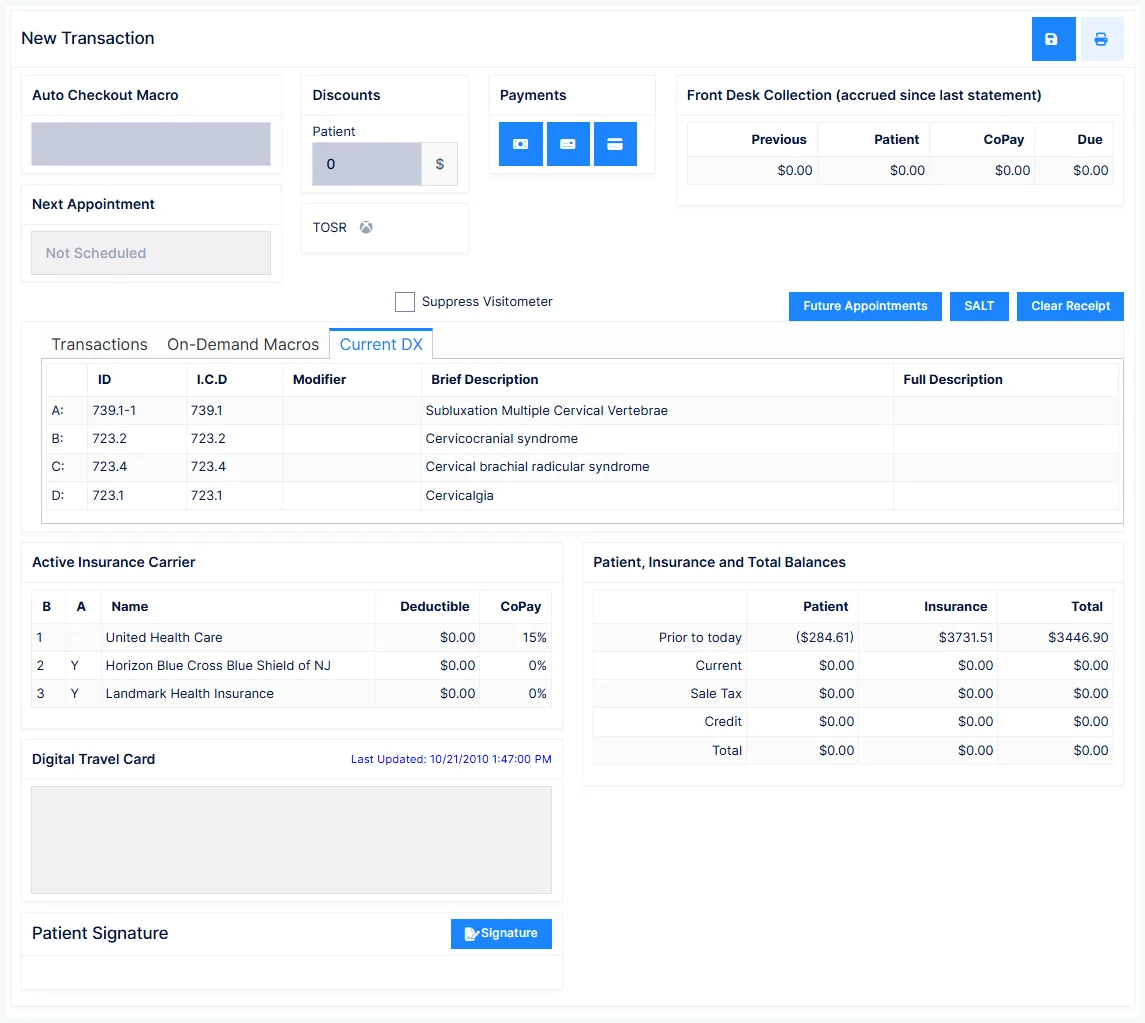
| Dx Rel | Which diagnoses this line points to |
| Remark/CK# | Free text, cheque number, card approval details |
| CoPay | Amount moved from insurance to patient responsibility |
| Tax | Whether sales tax applies to this line |
| Amount | The charge, or the payment |
Repeat services go in Qty, not on a second line
If a service was provided more than once on a visit, increase Qty. Entering the same code on two lines for the same date of service is likely to be rejected by the carrier.
Point each line at a different diagnosis where you legitimately can
Dx Rel links a charge to a diagnosis. If every line points at every diagnosis, carriers can bundle the whole visit under the lowest-paying benefit — so when a manipulation benefit runs out, everything else stops being paid too. Pointing each service at the diagnosis it actually addresses keeps therapy services payable under a separate benefit. The provider should set clear rules for which line points where.
CPT codes
A charge with no CPT code will not appear on the claim, the statement, or the ledger — and insurance will not pay it. CPT codes are set in the Procedure catalog.
Modifiers belong on the procedure only when the modifier applies 100% of the time, for every carrier. Carrier-specific modifiers belong in that carrier's Intelli$ense fee schedule; one-off modifiers go in the Mod column here.
Taking a payment
The Cash, Cheque and Credit/Debit Card buttons each create a payment line with the date, provider and payment type filled in. You type the amount. Card payments are processed through Global Payments directly from this screen and settle automatically — see Global Payments.
Front Desk Collection
The box at the top right tells staff what to ask for today:
| Value | Meaning |
|---|---|
| Previous | What the patient should already have paid but hasn't |
| Patient | What insurance has determined is the patient's responsibility |
| CoPay | The per-visit amount from the policy |
| Due | The sum of the three |
Discounts
Two separate mechanisms, easy to confuse:
Patient discount — a standing discount on the patient's Financial tab, applied either automatically or via a prompt, and scoped to Patient, Insurance or Both.
TOSR (Time of Service Reduction) — a per-procedure dollar amount that is applied only when you click the TOSR button. There is no reminder and no automation: it is a deliberate gesture of goodwill that somebody has to decide to make.
Discounts and write-offs are regulated
Medicare treats a discount or write-off as a gift, capped at $50 per patient per year; beyond that it is treated as an illegal inducement. Some states additionally require that a discount given to a patient must also be extended to insurance carriers. Know your state's rules before setting standing discounts.
Sales tax
If the procedure is flagged taxable and a tax rate is configured on the provider record, ChiroPad calculates the tax and adds it as a separate line on the ledger, includes it in Front Desk Collection, and shows it on the balances box.
Receipts
The patient's Receipt setting decides what happens automatically — No, Yes (every visit), or Payment (only when money changes hands). Regardless of the setting, you can print one on demand by using the print-and-save action instead of plain Save.
Saving
Nothing is recorded until you save
Every transaction must be saved or the entry is lost. Only once saved do the charges become available to insurance claims and patient statements.
Before saving, you can remove a single line, or use Clear Receipt to discard everything and start again.
Suppressing the visit count
Suppress Visitometer stops this transaction counting against the patient's insurance-authorised visits — for example when someone collects a supplement refill without being treated.
Dispensing without a visit may not be lawful everywhere
Some states require an office visit whenever anything is dispensed. Check your state's rules before using this routinely.