
Appearance
Imaging
The Diagnostic Imaging Report — your reading of the films, recorded as findings against vertebral levels, plus any measurements you took.
The order is enforced
Unlike most screens, the DIR makes you work in sequence and will not let you skip ahead:
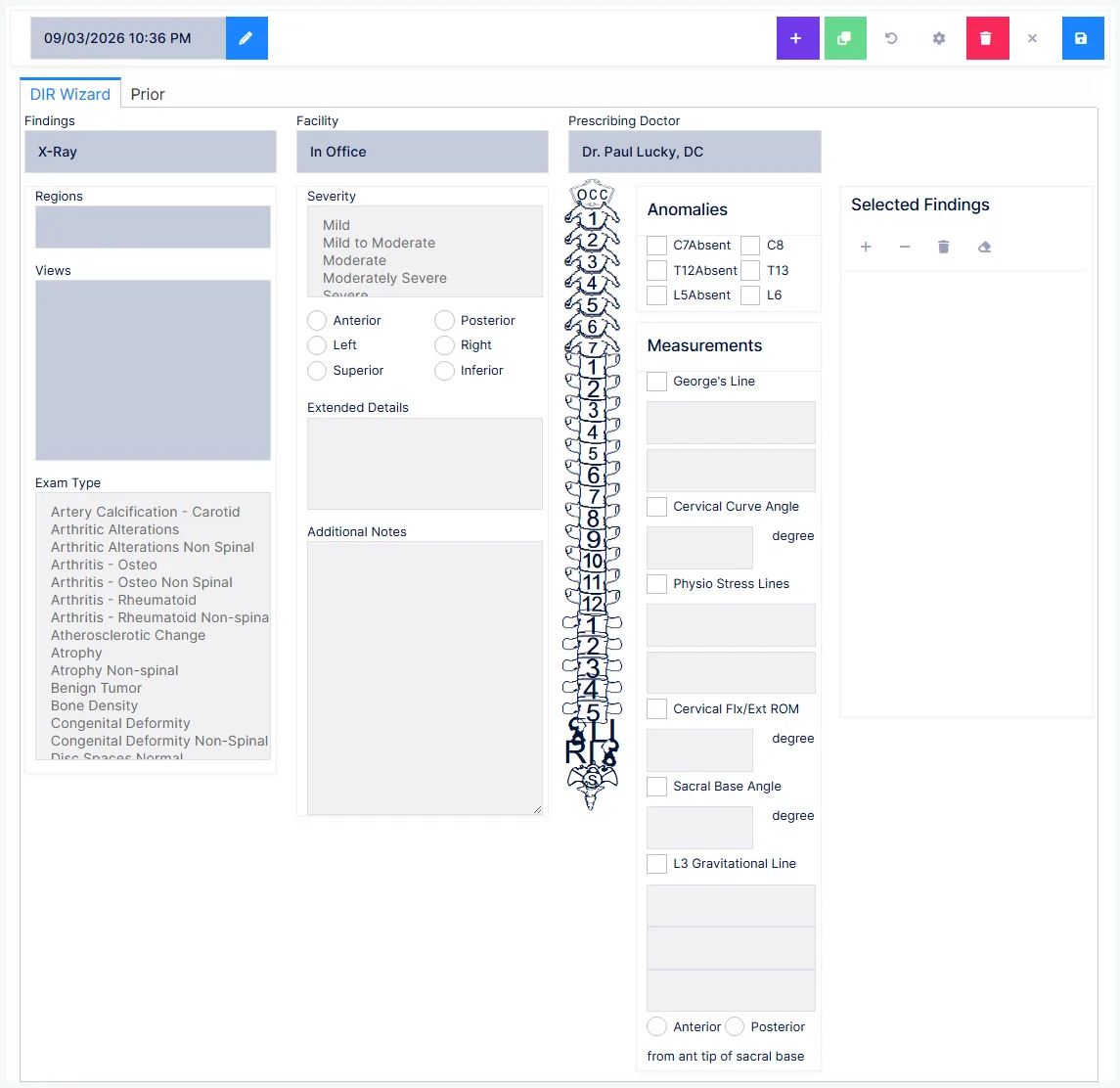
- Region — which body area was imaged. This unlocks the views.
- Views — at least one is required before findings become available.
- Anomalies — extra or missing vertebrae.
- Findings — and, for each, its severity, location and extended detail.
- Vertebral levels — click the levels the finding applies to.
Check for anomalies before entering findings
This is the one step people skip, and it is enforced for a reason. Marking an anomaly changes the spine shown on screen — adding or removing levels.
Do it first and ChiroPad can guarantee you never attach a finding to a vertebra the patient does not have. Do it after, and you are correcting findings that are already placed.
Not everything is spinal
Findings like gallstones or kidney calculi are recorded without clicking any vertebral level at all. The level step simply does not apply to them.
Measurements
An optional panel, with a checkbox per measurement to enable it:
| Measurement | What you enter |
|---|---|
| George's Line | Unbroken or broken — and if broken, the levels where |
| Cervical Curve Angle | The angle |
| Physiological Stress Lines | Normal or abnormal — and where they intersect |
| Cervical Flexion/Extension ROM | The measurement |
| Sacral Base Angle | The angle |
| L3 Gravitational Plumb Line | Normal or abnormal — and if abnormal, the distance, its units, and whether it falls anterior or posterior to the anterior tip of the sacral base |
Selecting broken for George's Line recolours the spine so you can click the levels involved.
Saving is two steps
Save turns your selections into readable prose. The report is then editable — adjust the wording, add anything in the Additional Information box — and OK – Save Changes commits it.
After committing, the report can only be amended by addendum
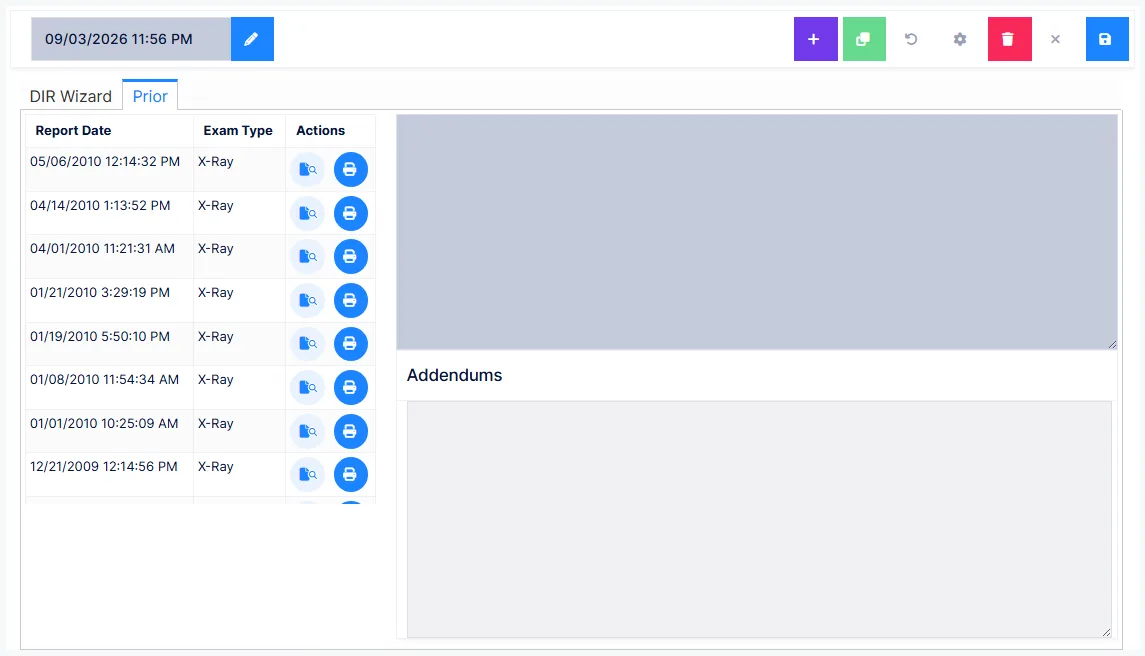
See the Exam overview for how addenda work and what they must contain.
Getting the report into today's note
Two conditions, and the second catches people out
The DIR reaches today's SOAP note only when:
- its exam date is today, and
- it was saved before the note was generated
Read the films after generating the note and the DIR is saved as its own report but is absent from that note. Regenerate the note to pull it in.
Preferences
Set your defaults once — exam type, facility, prescribing doctor, and whether the whole report or only selected sections go into the note. Every default can be overridden on an individual report.
The facility list offers In Office plus your Diagnostic Imaging Centers catalog. The prescribing doctor list offers your practice's providers plus the Referring Physicians catalog.
Add your own providers to the Referring Physicians catalog
Some carriers require prescribing-doctor details on the claim even when the prescribing and treating doctor are the same person. That only works if your own providers are in the Referring Physicians catalog.