
Appearance
History in the mobile app
The History menu holds the patient's background, usually taken at the first visit and updated when something changes. On a tablet most of it is a matter of tapping choices rather than typing: tap a choice to select it — it turns blue — and tap again to deselect. Clear beside a question deselects all of its choices.
Health
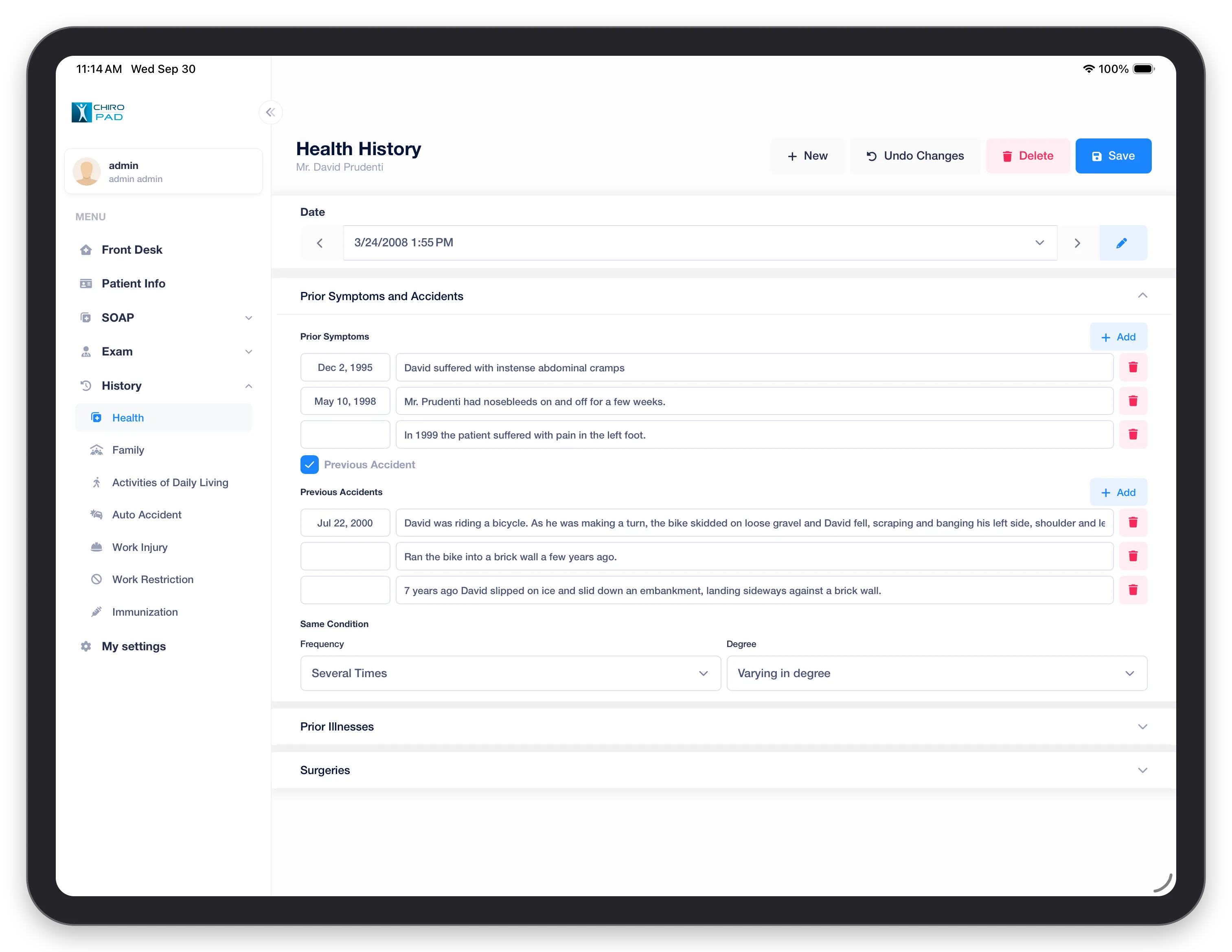
Dated like an exam, with New to start a new history. Prior Symptoms and Accidents lists earlier symptoms and — with Previous Accident ticked — earlier accidents, each with a date and a description; Add adds a row. Same Condition records how often and how severely it has happened before. Prior Illnesses and Surgeries expand below. See Health.
Family
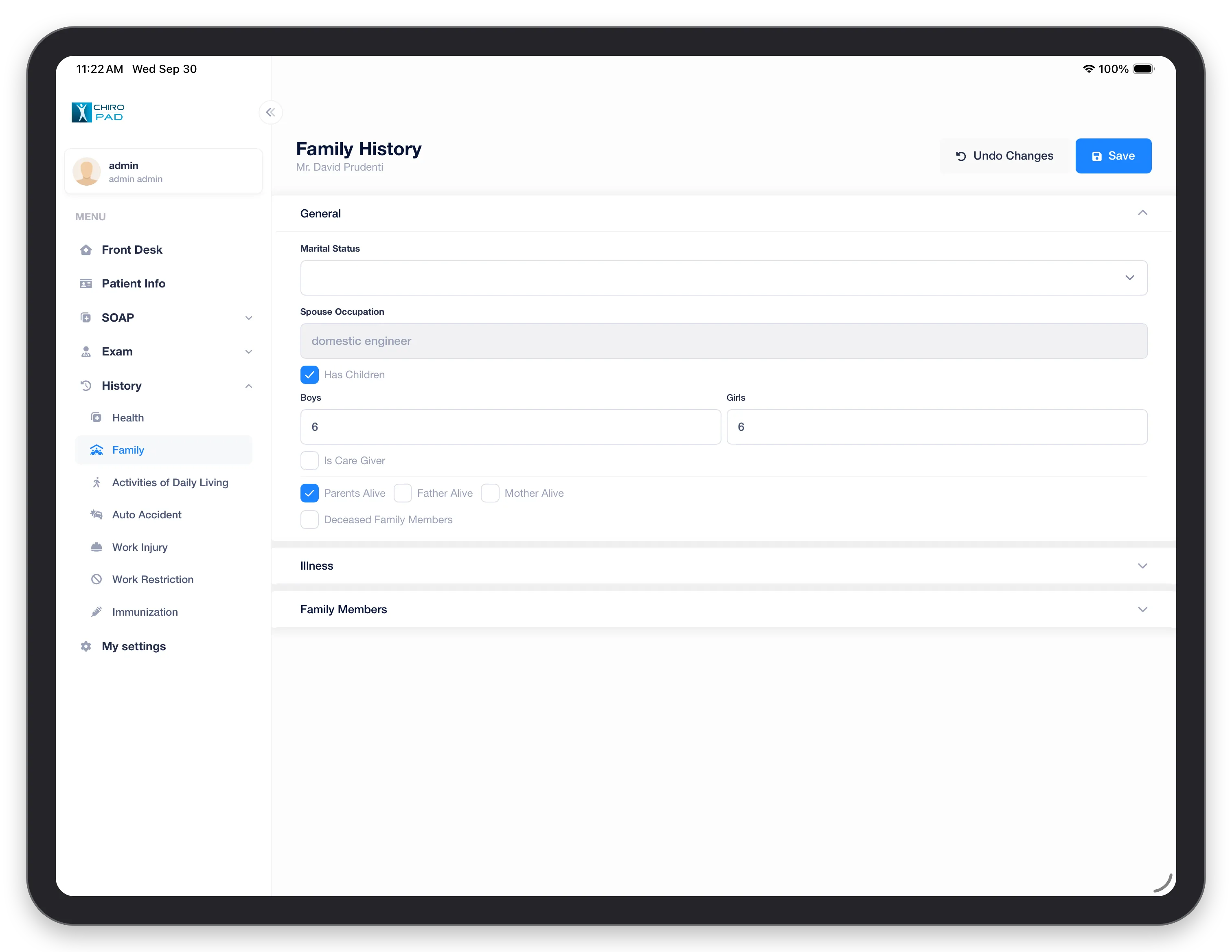
General covers marital status, the spouse's occupation, children, caregiving and whether the parents are alive. Illness and Family Members expand below. See Family.
Activities of Daily Living
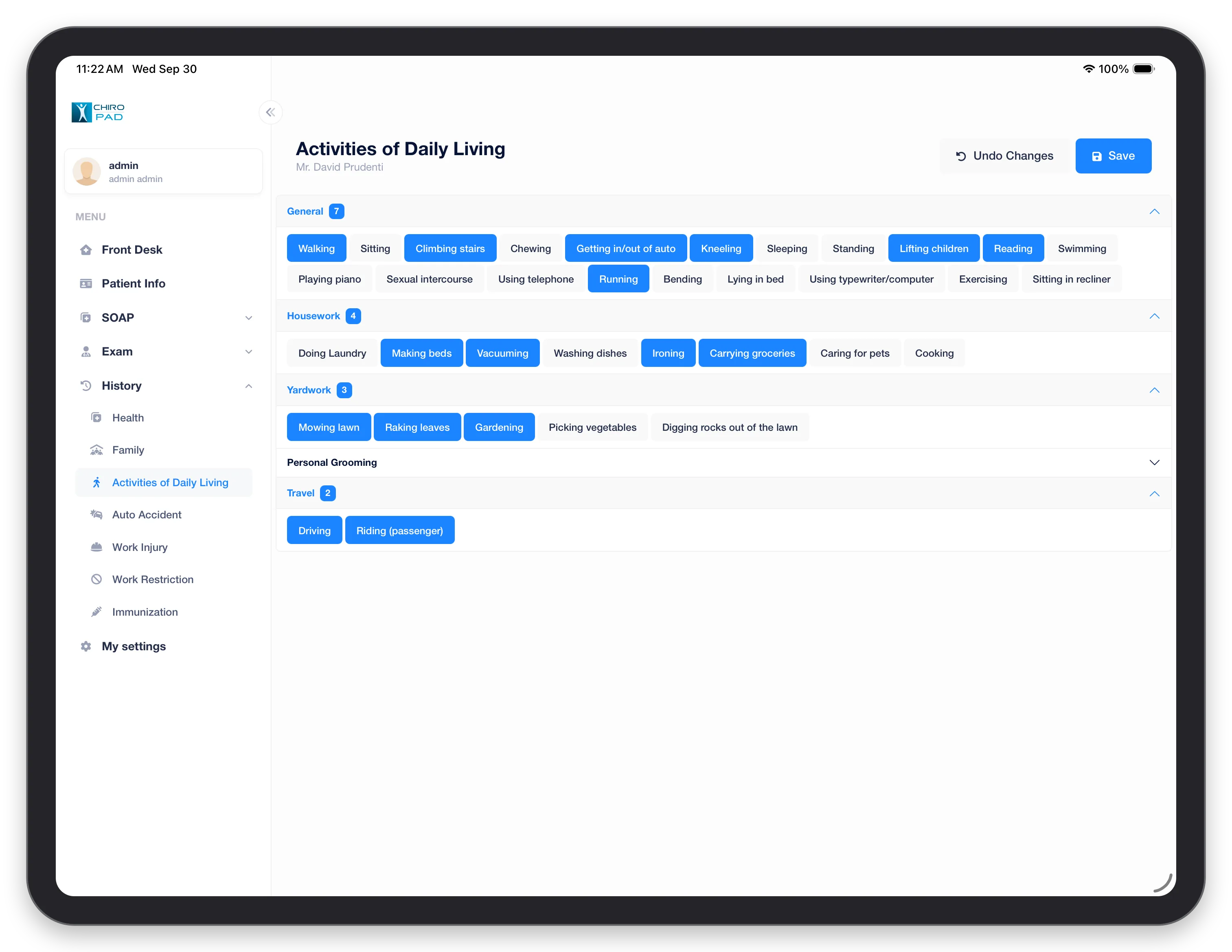
Tap each activity the patient's condition affects. They are grouped into General, Housework, Yardwork, Personal Grooming and Travel, with a count of the selected activities beside each heading. See Activities of Daily Living.
Auto Accident
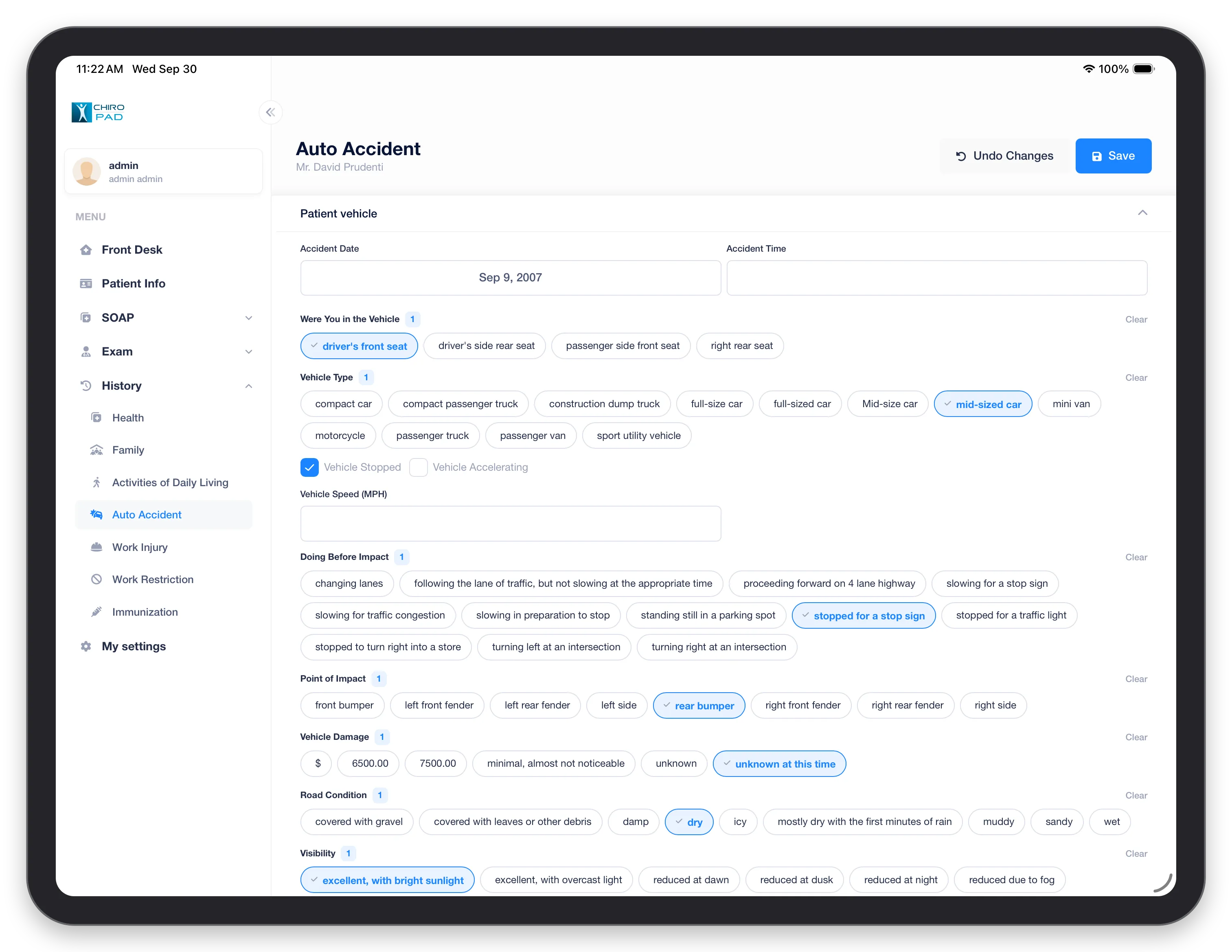
The details of a motor vehicle accident, in collapsible sections starting with Patient vehicle: the accident date and time, where the patient was sitting, the vehicle type, whether it was stopped, what it was doing before the impact, the point of impact, the damage, and the road and visibility conditions. The count beside each question shows how many choices are selected. See Auto Accident for every section, including the collision estimate.
Work Injury
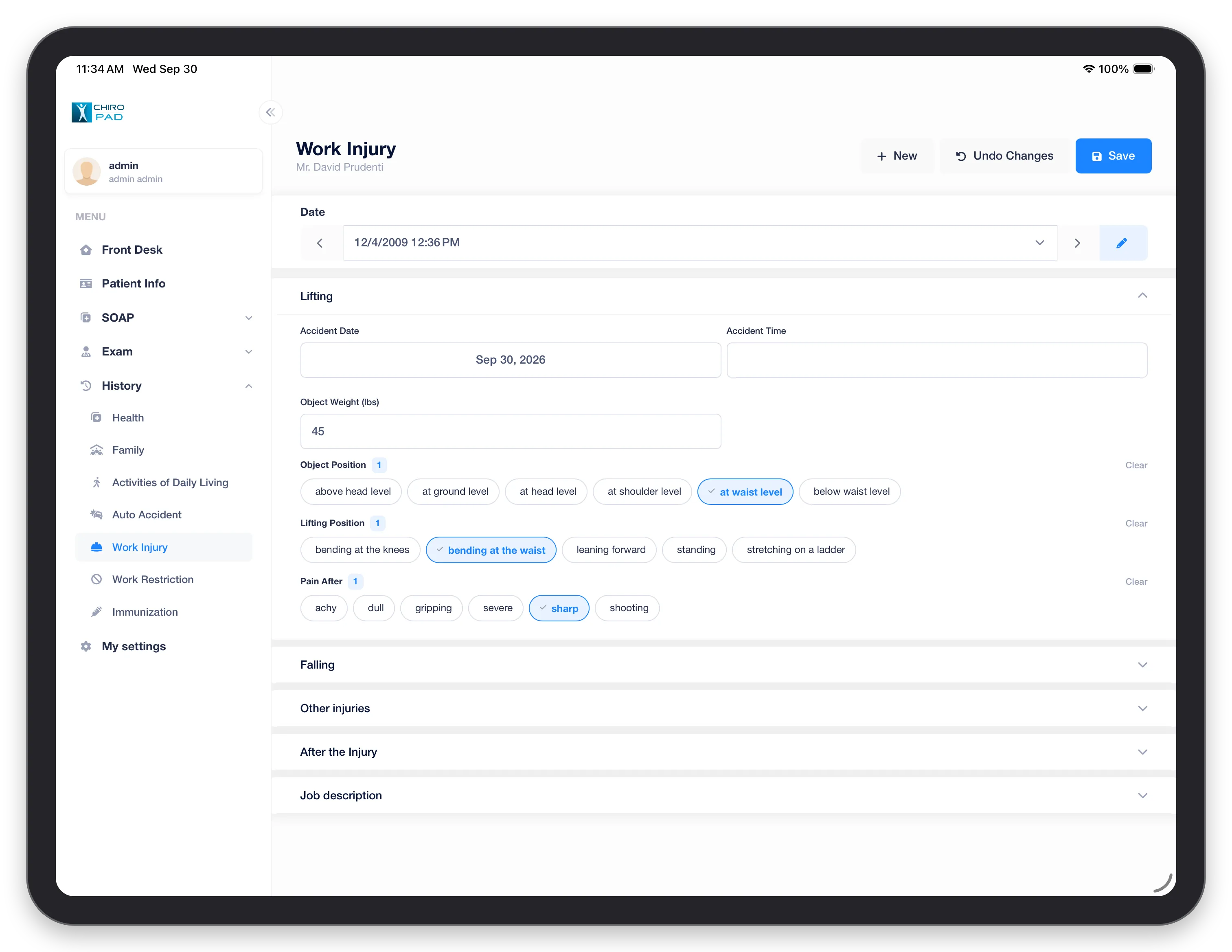
Dated, with New for another injury. Expand the section that describes what happened — Lifting, Falling or Other injuries — then After the Injury and Job description. See Work Injury.
Work Restriction
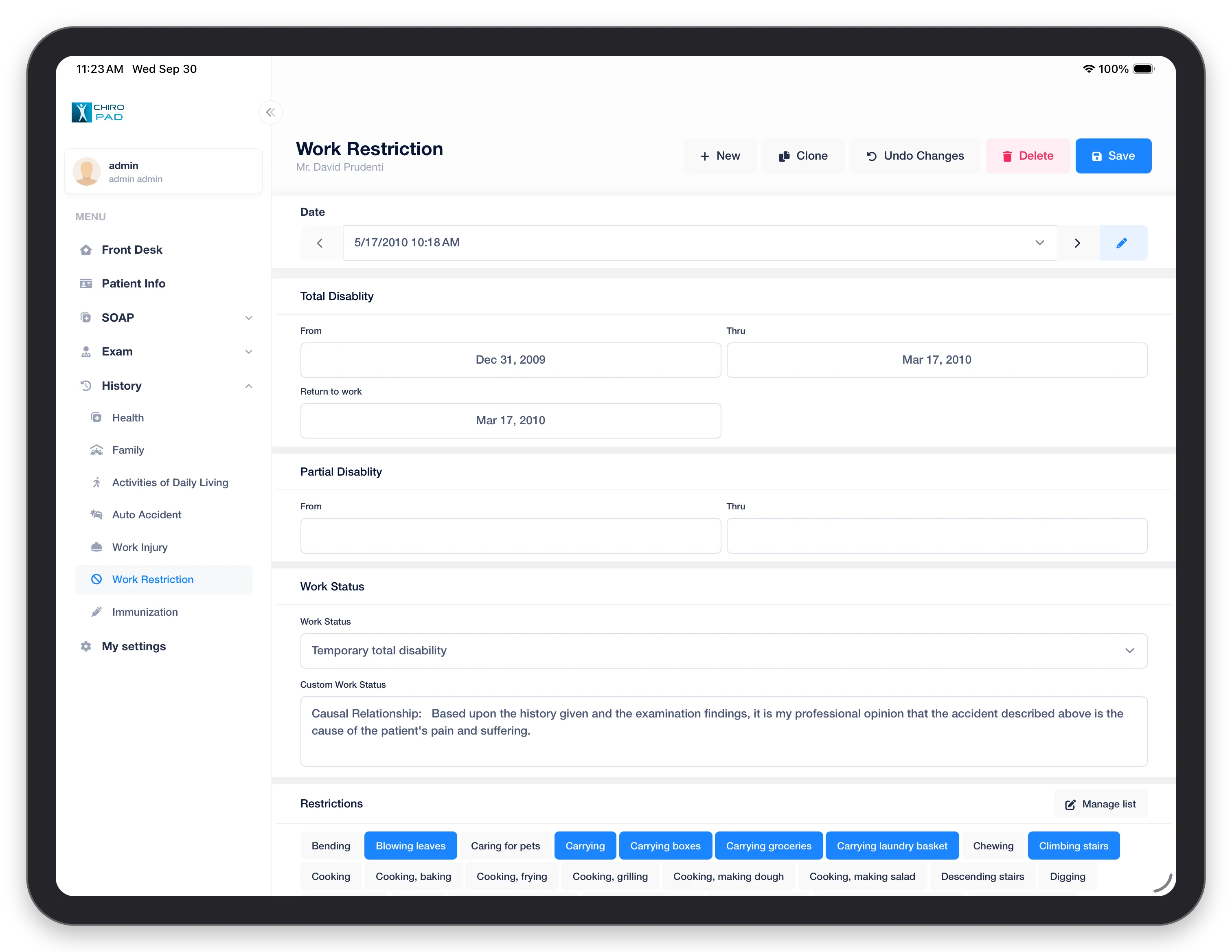
The periods of Total Disability and Partial Disability, with the return-to-work date, the patient's Work Status, and the Restrictions — tap each activity the patient should avoid. Manage list edits the list of restrictions to choose from. See Work Restriction.
Immunization
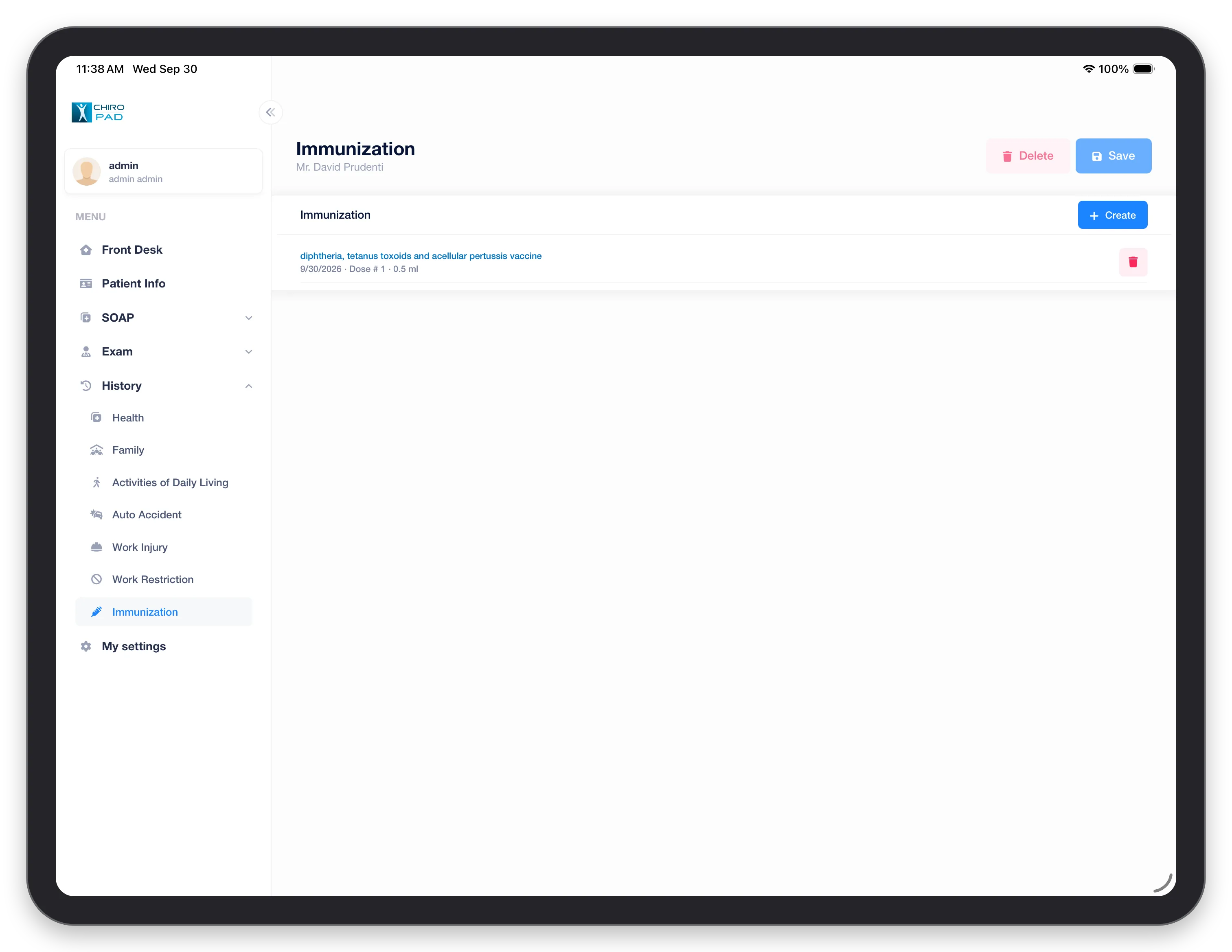
Each vaccine is listed with its date, dose number and amount. Create adds one; the red button removes it. See Immunization.